Technology Management
Know whether your hotel gets value from the technology it pays for.
See what each system costs, who relies on it, how well it serves your teams and when its contract renews. Act on renewals, overlaps and recurring problems before they turn into an unexpected cost or a service failure.
Available now. Includes Keyline Core, which answers from these records and says when information is missing.
$395per hotel/month

What changes for the hotel
One record instead of three tools
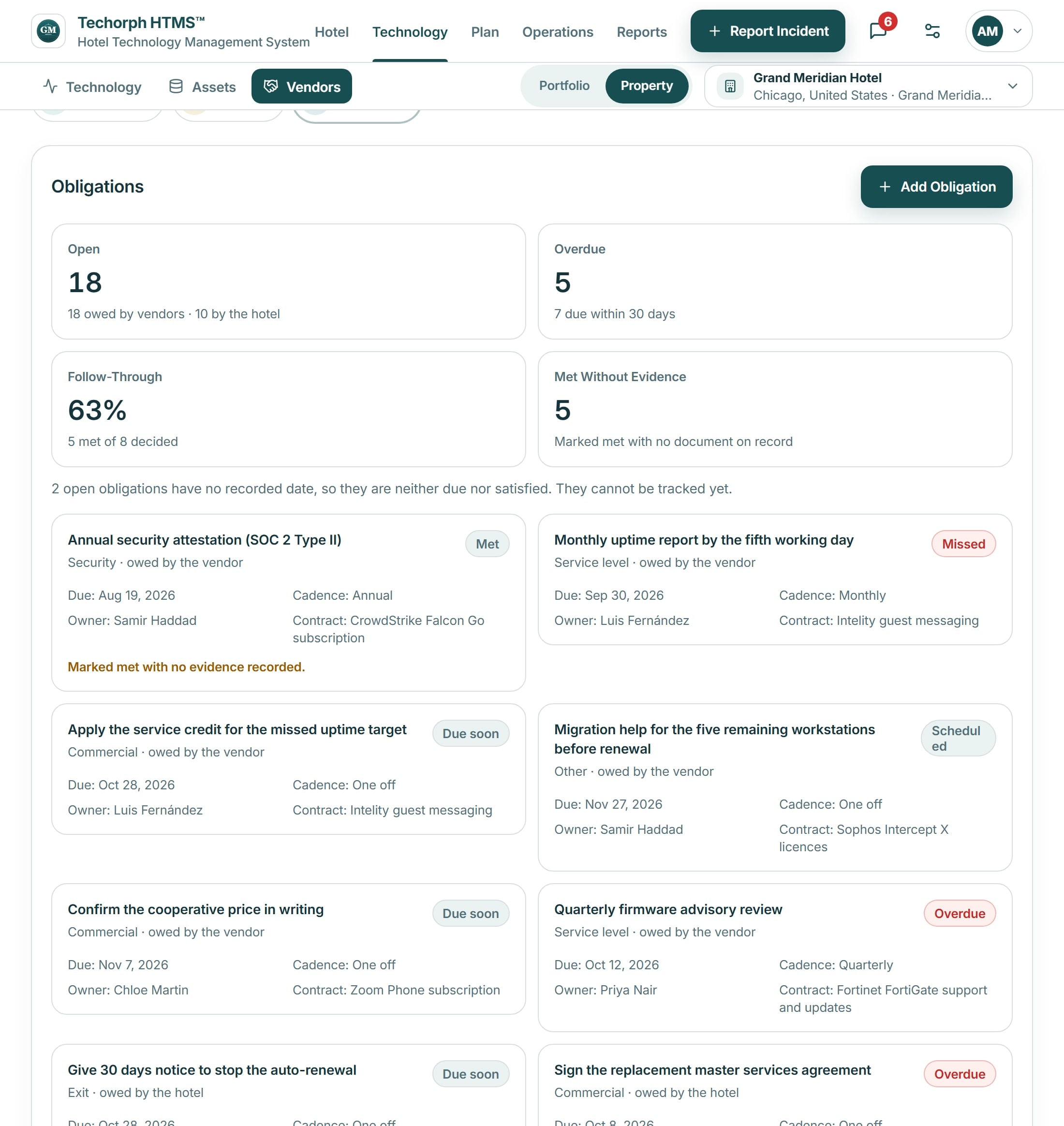
A spreadsheet lists contracts, a ticketing tool lists faults and a project tool lists work. HTMS™ links the fault to the system, the vendor, the contract and the project that fixes it.
Repeat faults become one problem
Recurring tickets link to one problem record with the system and vendor behind it, ready for the vendor review or a replacement decision.
Scores built from evidence
Technology health and maturity are calculated from the hotel’s records, show how much of each score has evidence, and stay Unknown where the records cannot answer.
One view across hotels
Owners compare properties side by side, with scores, spending and renewals computed for the whole group.
A PMS renewal, reviewed before the notice deadline
One example: the hotel’s PMS contract renews in four months.
The commitment
The contract shows its annual cost, its renewal date and the last day to give notice.
Use and ownership
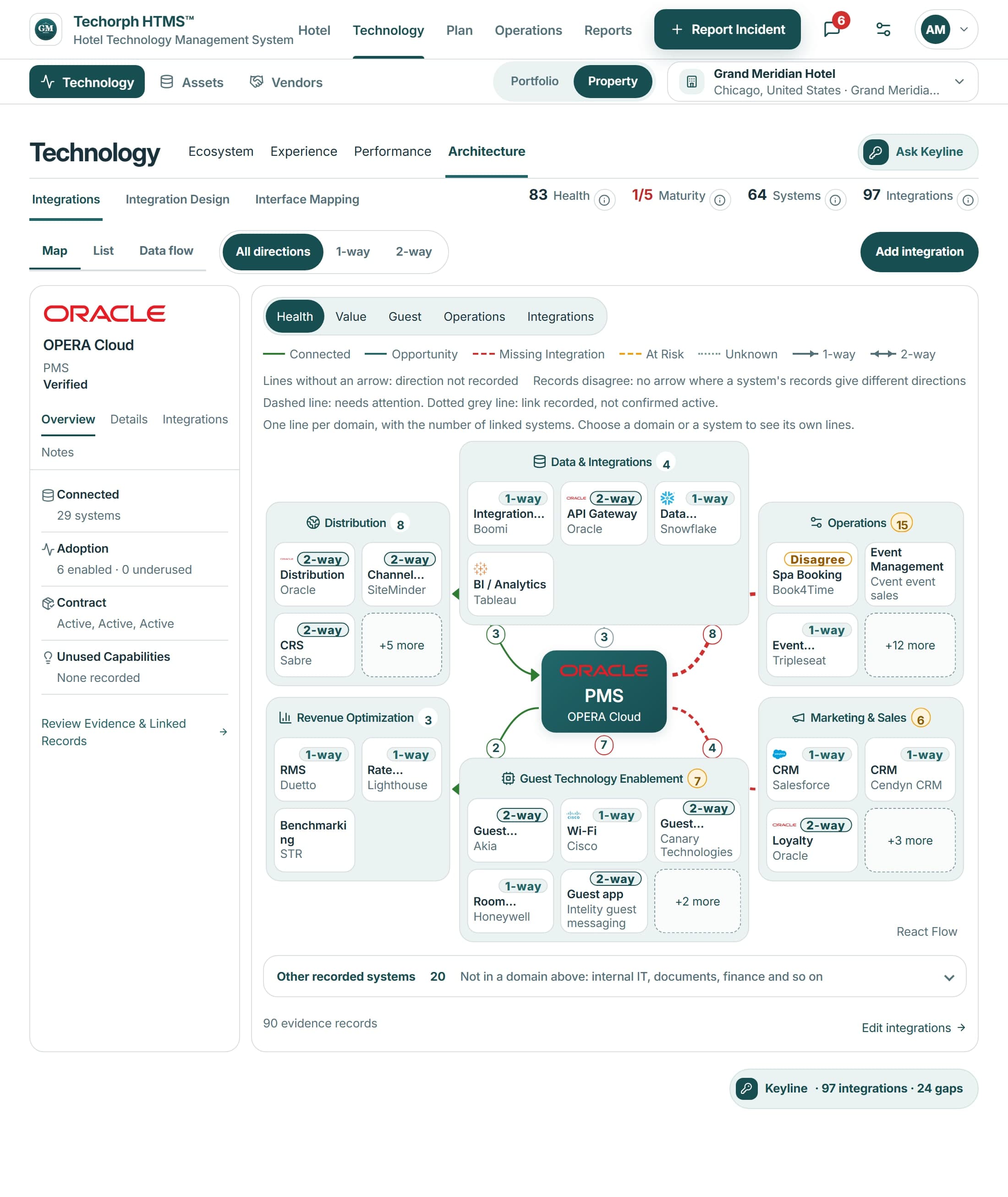
The system record shows the departments that rely on it, its named owner and the interfaces it shares with other systems.
Vendor performance
Service targets met or missed, and the tickets raised against the vendor, sit beside the contract.
The decision
The IT director or owner reviews the evidence and records renew, renegotiate or replace, with the date and who decided.
A savings estimate is shown as an estimate. It counts as a saving only once it is approved, and as realized only once the records show it.
The decisions it helps you make
Are we paying for what we use?
Is technology helping our teams, or getting in their way?
What should we fund next?
What could stop the hotel, and are we ready?
Includes Keyline Core, which answers questions from these records and says when information is missing.
Product screen
What Keyline recommends
Drawn from your hotel’s own records, with the evidence shown. A person decides.
- RenewalA renewal decision with the date, performance and terms recorded; the posture is Renew, Renegotiate, Replace or not enough recorded.
- ConsolidationDuplicate platforms in one category, shown with the vendors and contracts the hotel has recorded for each.
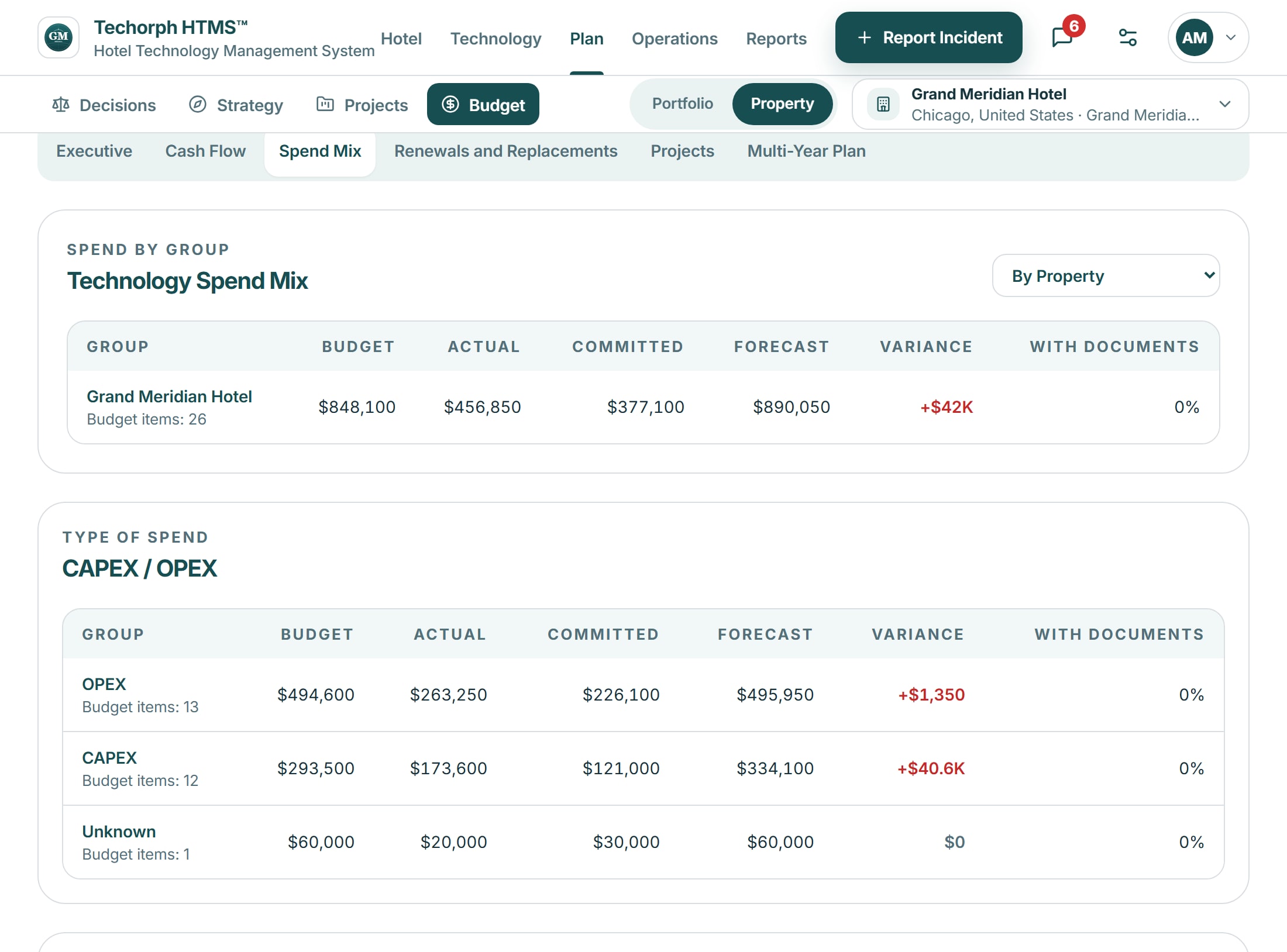
- SavingsA saving only where the records support a figure, with its basis stated; where they do not, no figure is shown.
- RiskSomething missing or happening now, such as no backup or a repeat failure, with severity, who to tell and affected systems.
- BudgetA missing recurring cost, price increase, unfunded project or overrun, each with its evidence status and links.
- ProjectA project or objective with no funding recorded against it, linked to the budget line and the evidence behind the finding.
See it with your own hotel
Bring one current issue, such as a renewal decision or a room that keeps getting held, and we will walk through how HTMS™ handles it.