Technology Management
Know which technology projects are late, unfunded or waiting on a decision
Give each technology rollout one plan with owners, milestones, dependencies and team workload, linked to the systems, vendors and budget lines it changes.
The problem
Rollouts run on spreadsheets and on tools not made for hotels
A point-of-sale upgrade, a Wi-Fi refresh and a door lock rollout run in three separate spreadsheets, or in a generic project tool that knows nothing about hotels. The owner asks which one is late and who is overloaded, and the answer has to be assembled by hand.
Why rollouts slip
A hotel rollout touches systems, vendors, budget lines and departments that a separate project tool does not know about.
The same few people run most rollouts. When workload is not visible, overload shows up only as a late task.
In HTMS™ each rollout has one plan with owners, milestones, dependencies and team workload, linked to the systems, vendors and budget it affects.
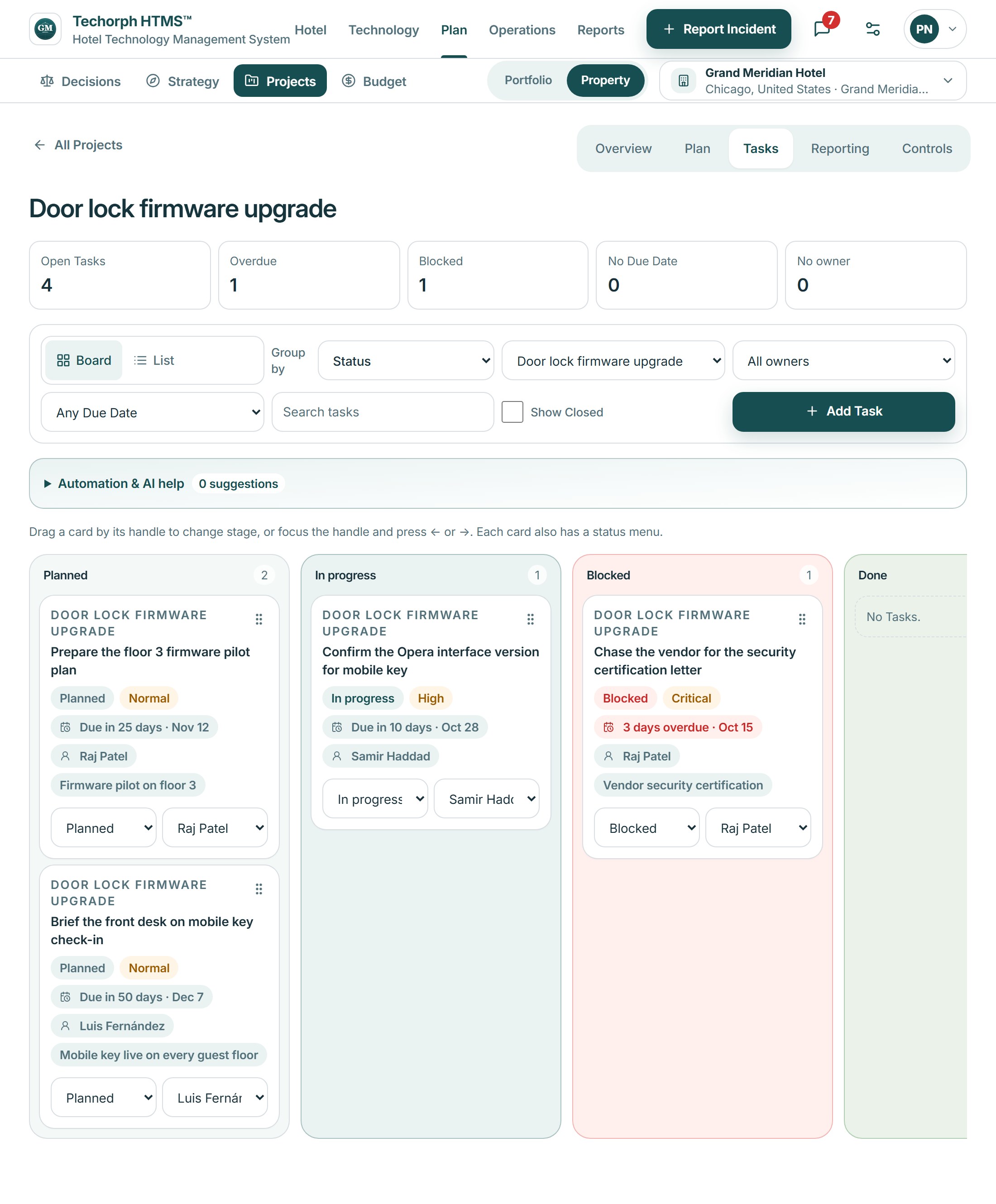

How a project is run
See the portfolio
Open the portfolio view of every technology project, with programs grouping related work.
Plan the work
Build each plan with milestones and the dependencies between tasks.
Balance the team
Check team workload before assigning the next piece of work.
Report status
Use project reporting so status, health and spend against the approved budget come from the same plan records the team works in.
In the product
The week’s delivery, by person
What is due this week, what is overdue or blocked, and what each person is committed to, so work moves before it holds up the next project.
HTMS™ product screen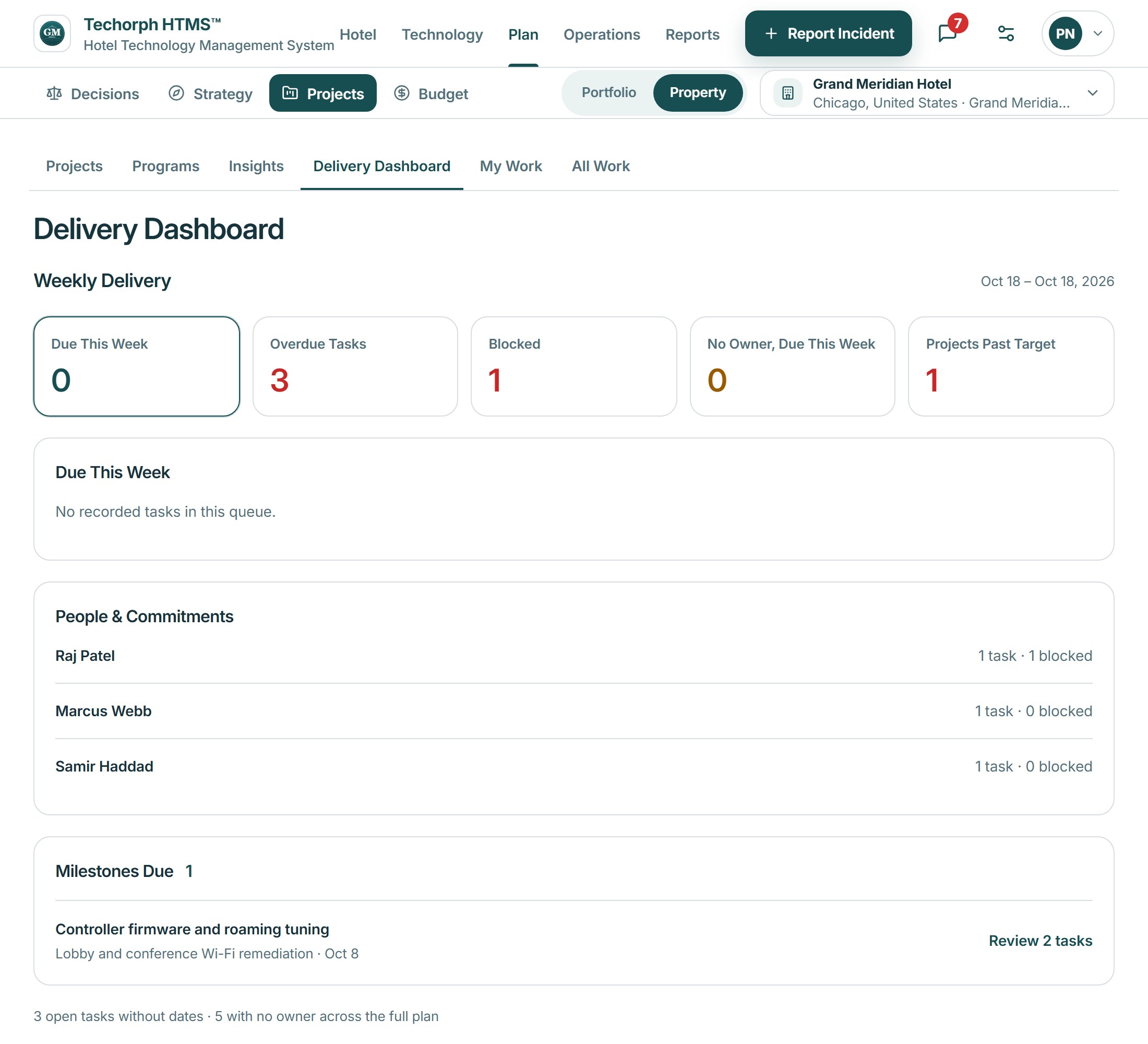
Keyline recommendations
Evidence behind each recommendation
Keyline recommendations name the records behind them and show the evidence, so a project lead sees why an item is raised. In Connect, the project helper can offer a task for a person to confirm.
Drawn from your hotel’s own records, with the evidence shown. A person decides.
Works with
Two projects compete for the same engineer
A realistic scenario
A 150-room hotel is replacing its Wi-Fi across two buildings while a property management upgrade is also due. The IT manager sees both plans, the milestone they share and each engineer's workload, and moves one task before it holds up the other.