Operations managers

See what could disrupt the next arrival or shift

Review held rooms, overdue work and handover actions across departments. See the owner and next step before calling teams for separate updates.

Keep the day moving with every department on the same list.

Concept image: a hotel operations manager with a tablet in a guest-floor corridor
Rooms and jobsOne view of the floor
Late or unownedRises to the top
HandoverWhat the last shift left
Operations overview
Late work at the topNothing waits unowned
Handover readEach shift starts informed
Help asked forThe right person alerted

Questions HTMS™ answers for operations managers

What needs a person right now?

Late, held and unassigned work ranked together, with the arrivals waiting on it.

Which arrivals are at risk?

Arrivals beside held rooms and open repairs, so a risk is seen before the front desk calls.

What was handed over?

Shift handover notes and checklist results from every department in one place.

What you see first

Your workspace opens on today’s priorities: what is late, what is held and who owns it.
  • Priorities that need a person
  • Rooms ready and held
  • Arrivals at risk
  • Handover notes
  • Response and on-time rates
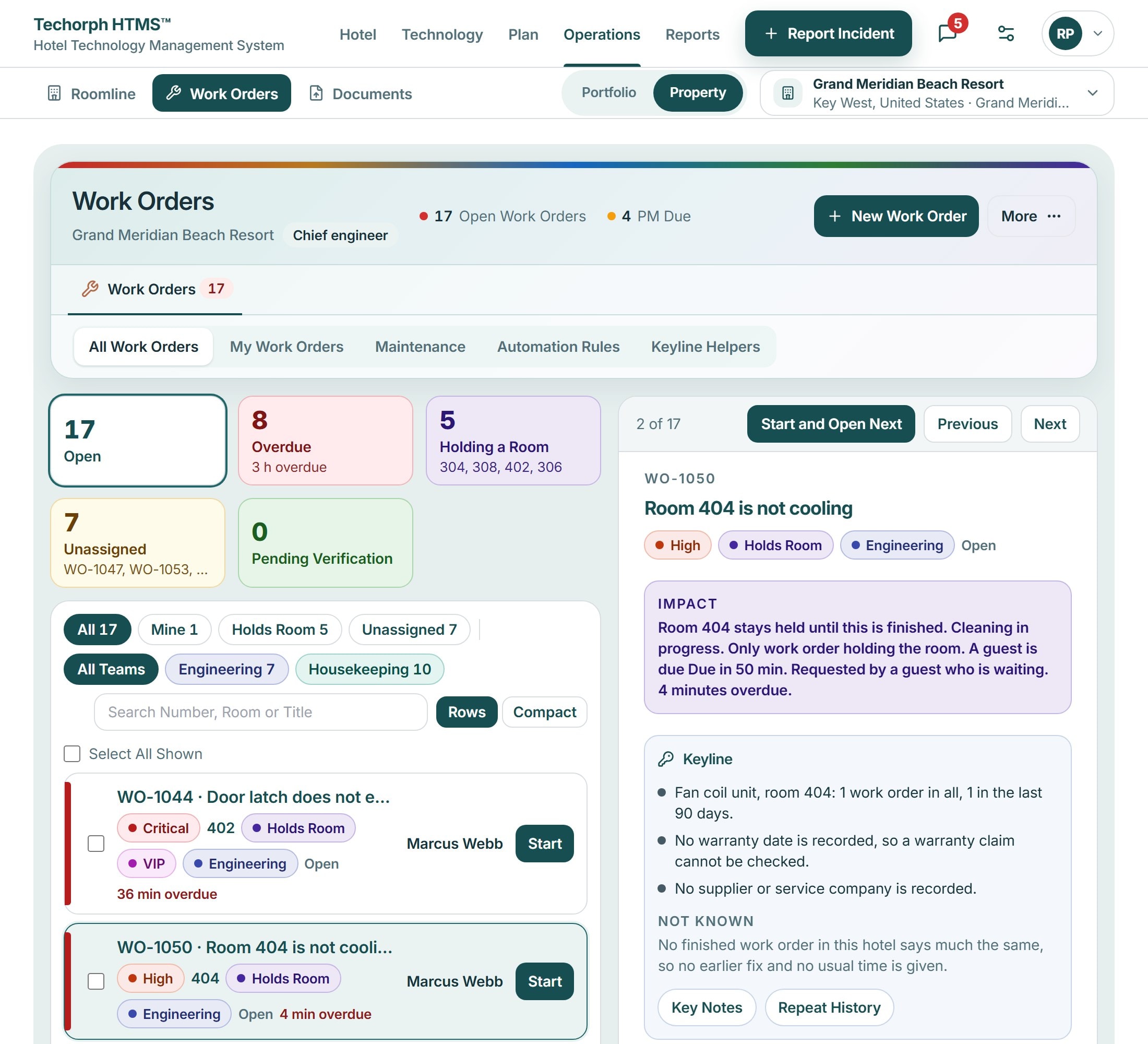
Roomline Today: rooms ready, room holds, open work orders, arrivals at risk and scheduled maintenance due, then a Priorities list of late, held and not-ready rooms with the next step for each.
HTMS™ product screen

What an operations manager gets

The work list
  • See the whole floor

    Rooms, work orders and handovers across departments in one view.

  • Know what needs a person now

    Late or unowned work moves to the top of the list.

  • Hand over cleanly

    Each shift starts with what the last one left, in writing.

  • Ask for help early

    Ask-for-help and late-work alerts reach the right person.

See HTMS™ from the operations manager’s seat

The demo starts from the day’s priorities, then follows one problem from report to finished work.

HTMS™ for Operations managers | Techorph