Contracts, SOWs, proposals and RFPs
Go to Vendors. Confirmed terms update the vendor’s contract, or create a new contract from the document.
Technology Management
Upload a contract, invoice or proposal. Review the details Keyline extracts, check the source and approve the information before it updates the relevant record.
The problem
Renewal dates are inside signed PDFs, invoice amounts are in an email attachment and the vendor list is last year's spreadsheet. Re-keying it all is slow, and mistakes end up in contract and budget records unseen.
Renewal dates sit inside signed PDFs nobody keys in.
In HTMS™ Upload a contract or forward it to the hotel’s inbox, and Keyline reads it and proposes the terms.
Re-keying invites mistakes that end up in contract and budget records unseen.
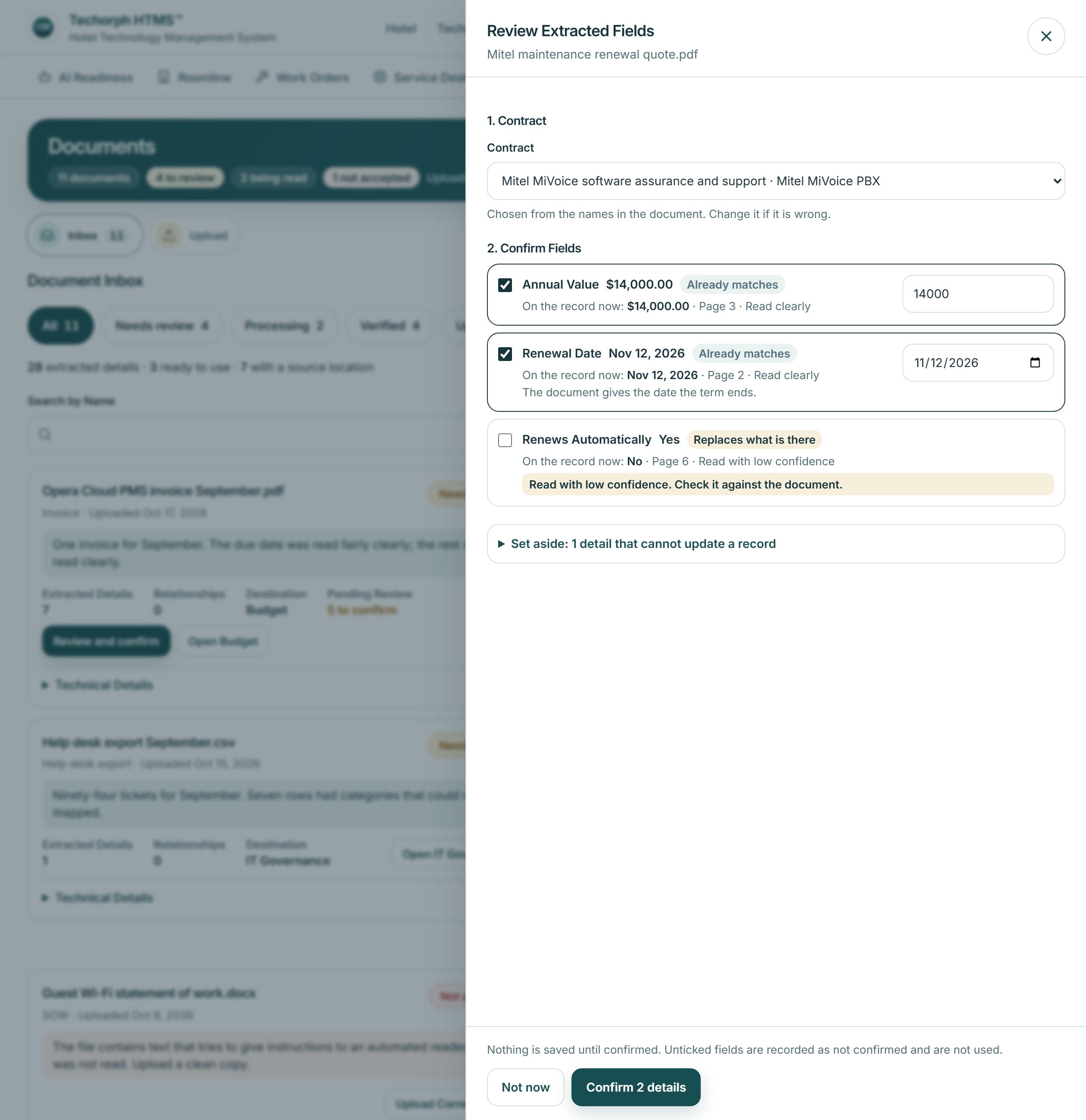
In HTMS™ Each proposed fact shows the page it came from and the value on the record now, and a person ticks, corrects or declines it.
A document lands in the wrong place, or nowhere.
In HTMS™ Each document is filed under the module it belongs to: contracts and vendor lists to Vendors, invoices to Budget. Anything unclear waits for a person to route it.
Nobody can say who confirmed a fact in a record, or from which document.
In HTMS™ Only confirmed facts are written, and the record shows the named person who confirmed them and the document they came from.
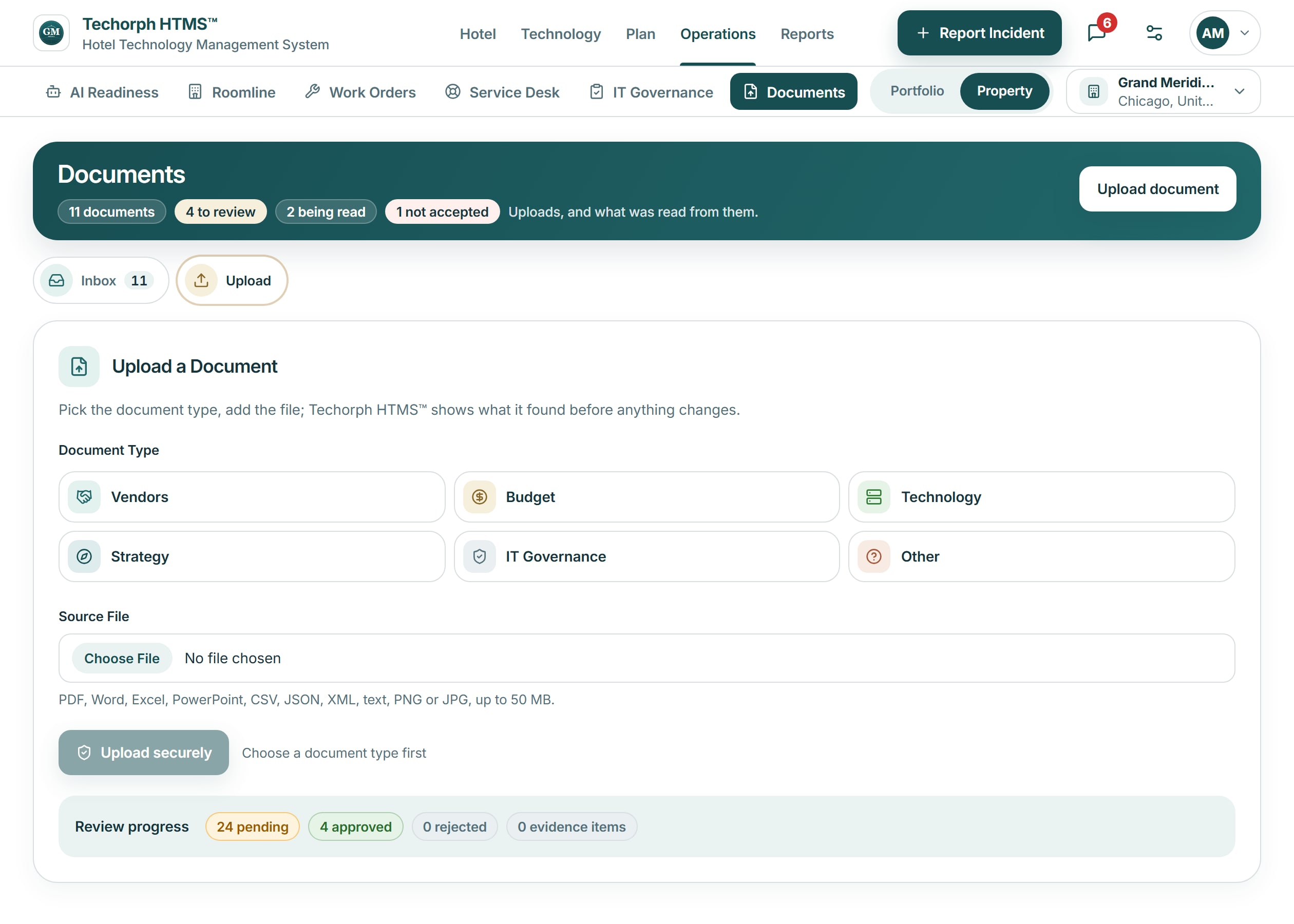
Upload a contract, statement of work, proposal, invoice or vendor list, or forward it to the hotel’s own inbox address.
Each document is filed under the module it belongs to: contracts, SOWs and vendor lists to Vendors, invoices and budgets to Budget.
Keyline proposes the facts it read, each with the page it came from and the value on the record now. A person ticks, corrects or declines each one.
Only confirmed facts are written: a contract’s terms, a new contract, vendors added to the vendor list, or an invoice recorded on a budget line.
Where documents go
Pick the kind of document when you upload it, or forward it and let the hotel's inbox take it. The kind decides which module it is filed under.
Document reading is switched on for each hotel; where it is not, uploads are stored and wait for review.
The inbox shows each document’s status, what was read, the module it goes to and what has been confirmed into the records.
HTMS™ product screen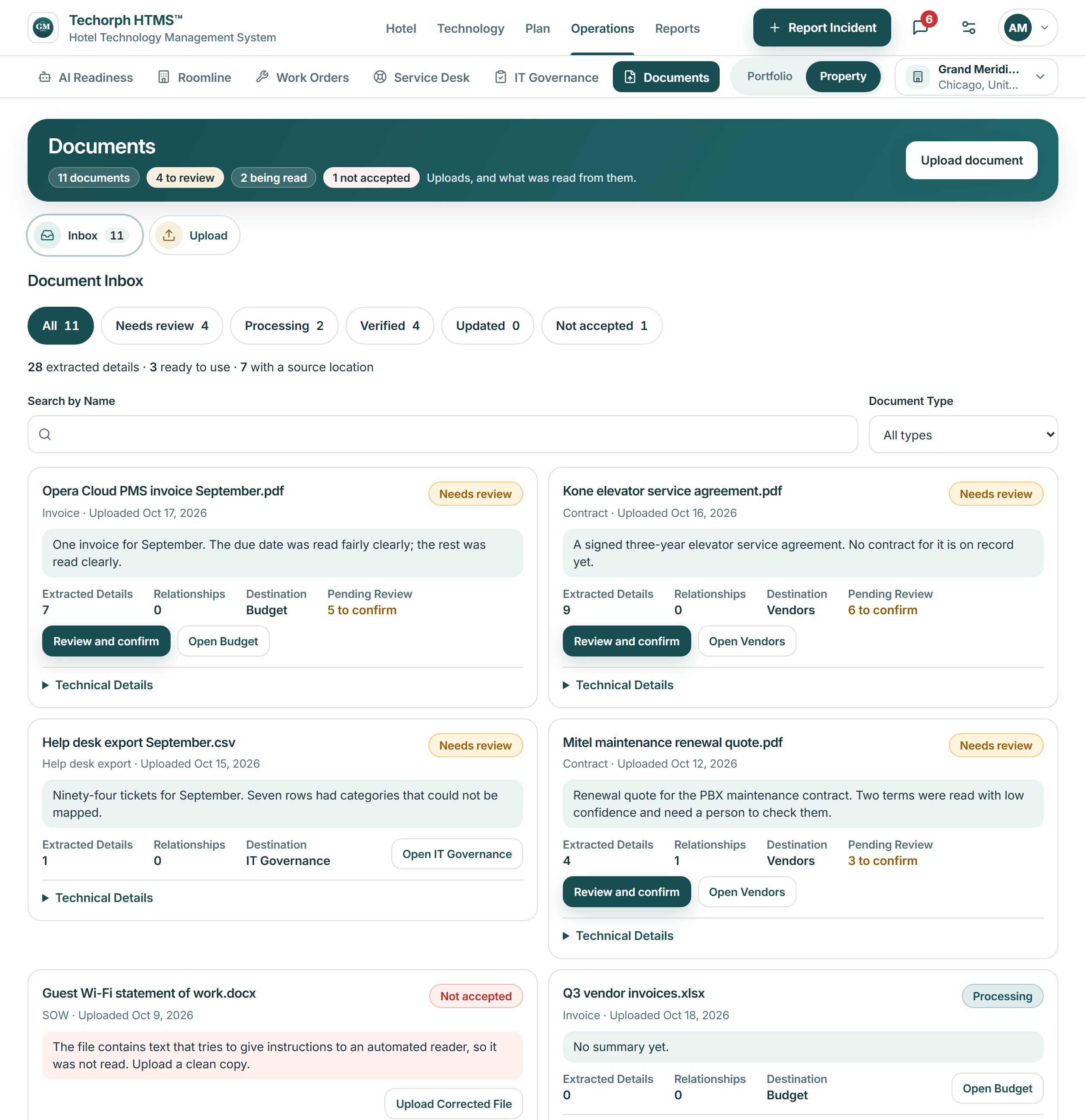
Keyline reads the document and proposes facts for contract, vendor or budget records. Until someone confirms them, the document is stored and the records are unchanged. Where document reading is not switched on for the hotel, uploads wait for a person to review.
A realistic scenario
A 90-room hotel receives its new internet service contract by email. The finance manager uploads it, ticks the term, annual cost and notice date Keyline read, corrects one date, and confirms. The contract record now carries those dates for the renewal queue.