Connect
Turn hotel conversations into work that gets finished.
The place your staff report a problem, ask a colleague and act on it, within what their role allows. A message that describes a job becomes a ticket, work order or task once an authorized person confirms it; with the Keyline Advanced AI add-on, Keyline prepares it for them.
Early access: built and working, and still being validated at live hotels. Keyline Advanced AI, the helpers you mention in a conversation for IT support, work orders and projects, is an add-on, available on request.
$3.25per room/month
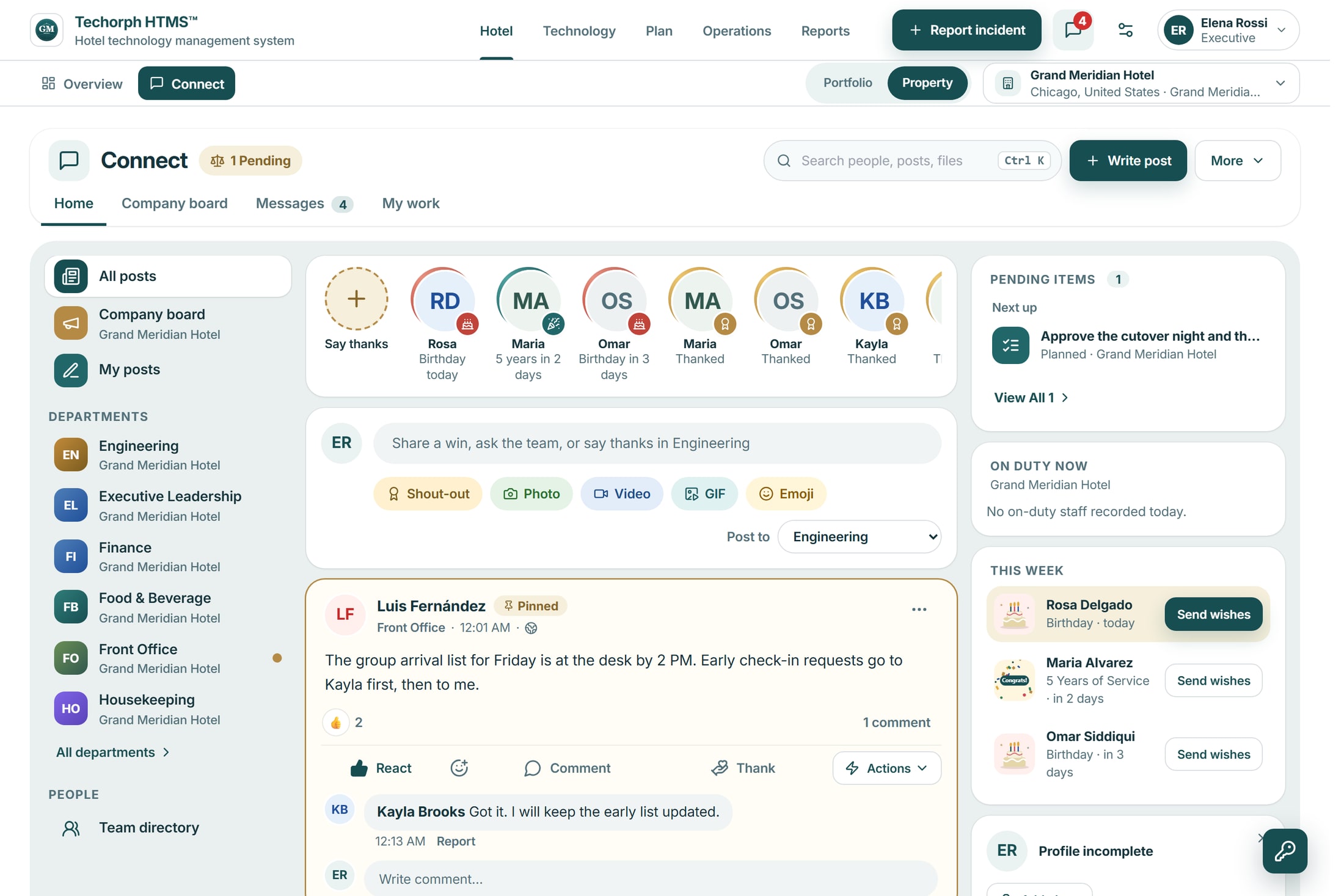

What changes for the hotel
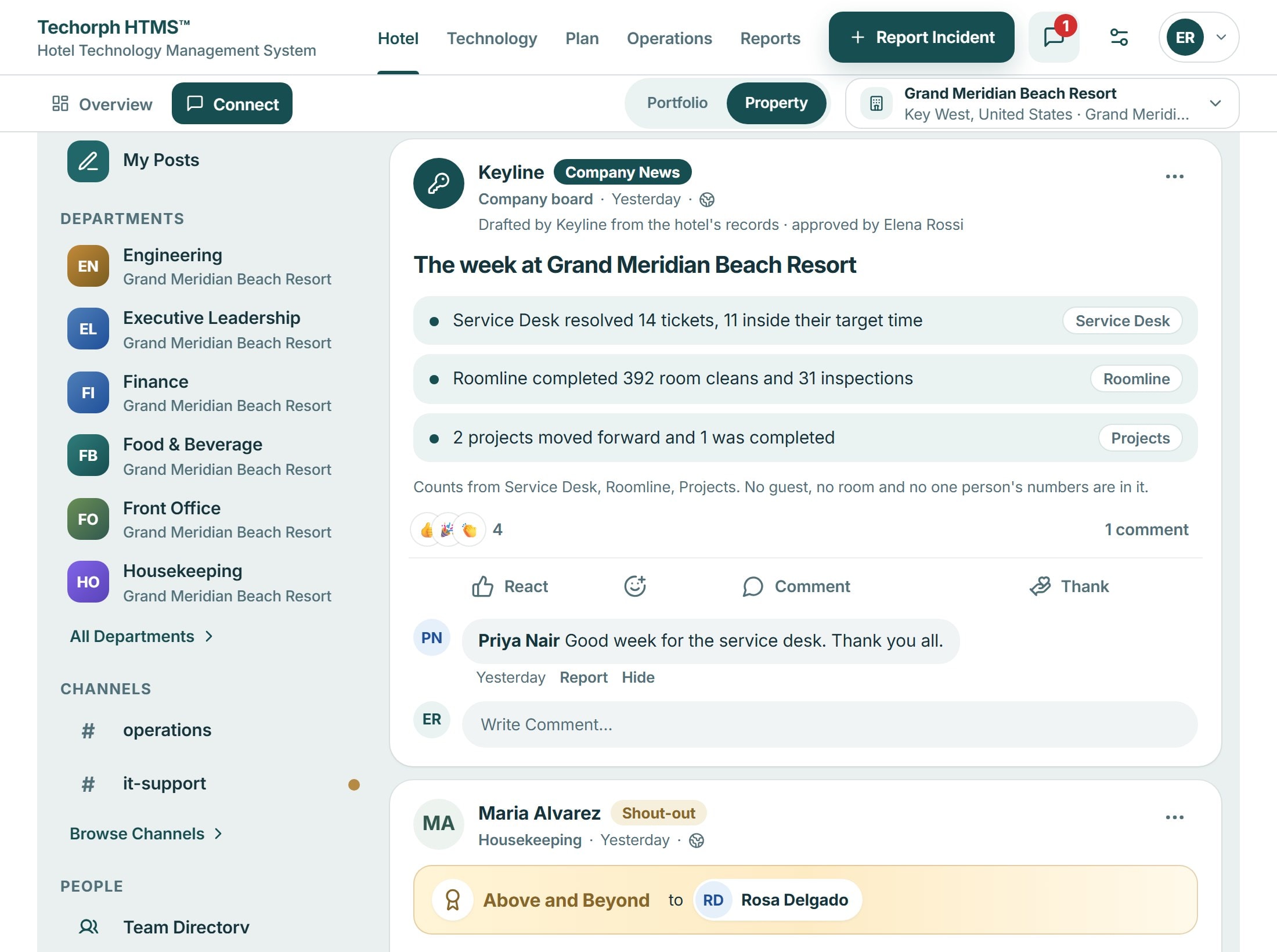
Conversations with a next step
Department spaces, channels and direct messages, with files, photos and voice notes. A message that describes work can become a ticket, work order or project task.
Keyline knows the context
Keyline reads the conversation together with the hotel records the person is allowed to see, and only proposes what that person could do.
Recognition and news, in the same place
Shout-outs, birthdays and company news keep the team informed. They support the work; they are not the work.
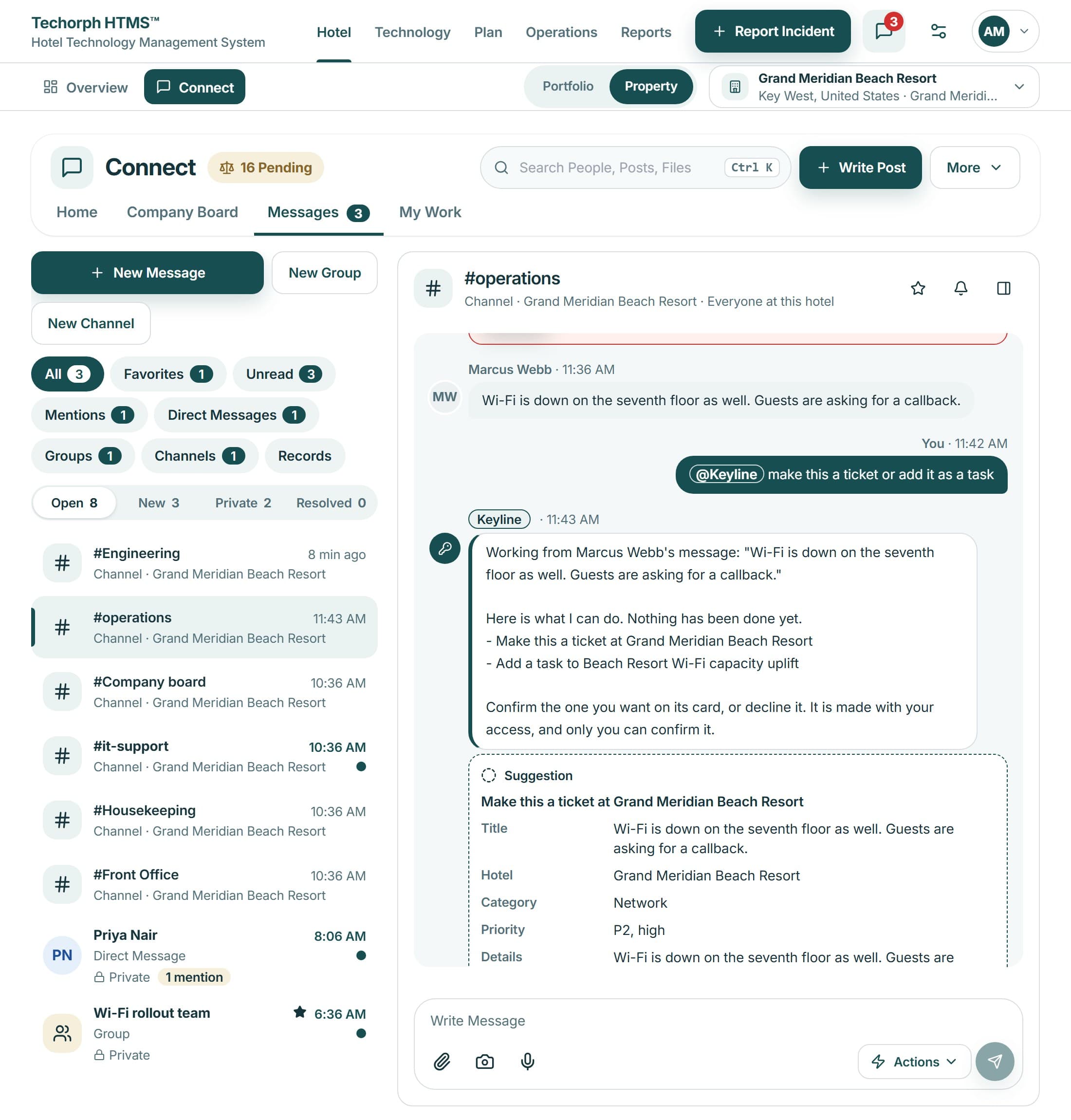
A recurring fault, from a message to finished work
One example: a front desk manager reports that the air conditioning in room 412 has failed again.
Reported in a channel
The manager describes the fault in the front office channel and mentions Keyline.
Keyline prepares the work order
Keyline proposes an engineering work order with the room and the fault from the message. Nothing is created yet.
An authorized person confirms
A team member with the right to create work orders reviews the card and confirms it.
Engineering does the work
The work order reaches engineering. It appears in the channel’s Jobs tab, so its status stays next to the conversation.
Mentioning Keyline in a conversation needs the Keyline Advanced AI add-on. Creating a work order needs Hotel Operations; a Service Desk ticket needs Technology Management. Approvals, budgets and contracts are not decided in chat.
What your team can do in Connect
Ask a question and act on the answer
Ask Keyline
Ask from your own records; helpers offer a ticket, work order or task for you to confirm
OpenKeyline in chat
Ask Keyline in a thread, review its card and confirm before anything is created
OpenKeyline recommendations
Ranked findings that name their records, with the evidence and gaps shown
OpenReport it once, to the right people
Routine follow-up, set once
Keyline Advanced AI, the helpers you mention in a conversation for IT support, work orders and projects, is an add-on, available on request.
Product screen
See it with your own hotel
Bring one current issue, such as a renewal decision or a room that keeps getting held, and we will walk through how HTMS™ handles it.