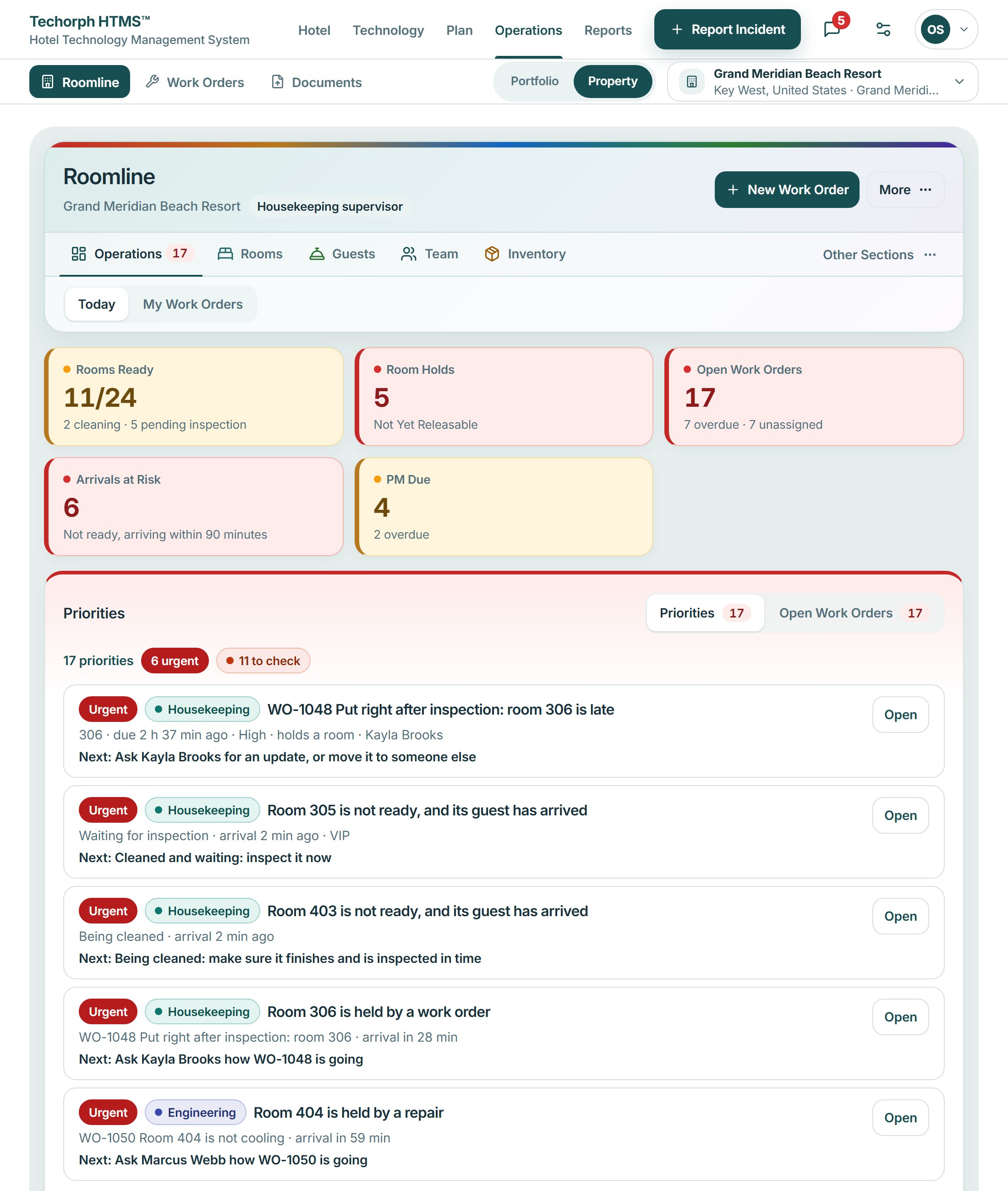
Operations home
The day on one page: rooms ready, rooms held, open work orders, arrivals at risk and scheduled maintenance due, then a Priorities list of what needs a person now and each person’s workload.
Hotel Operations
Give the front desk, housekeeping and engineering a shared room view. See cleaning progress, inspection status and repair holds before assigning the next arrival.
The problem
The front desk hears one answer, housekeeping another, and engineering has a fault logged where neither can see it. A guest waits in the lobby while people check a room by hand.
A typical moment“Room 412 says clean, a guest is waiting in the lobby, and I can’t tell whether I can send them up.”
The desk, housekeeping and engineering each hear a different answer about the same room.
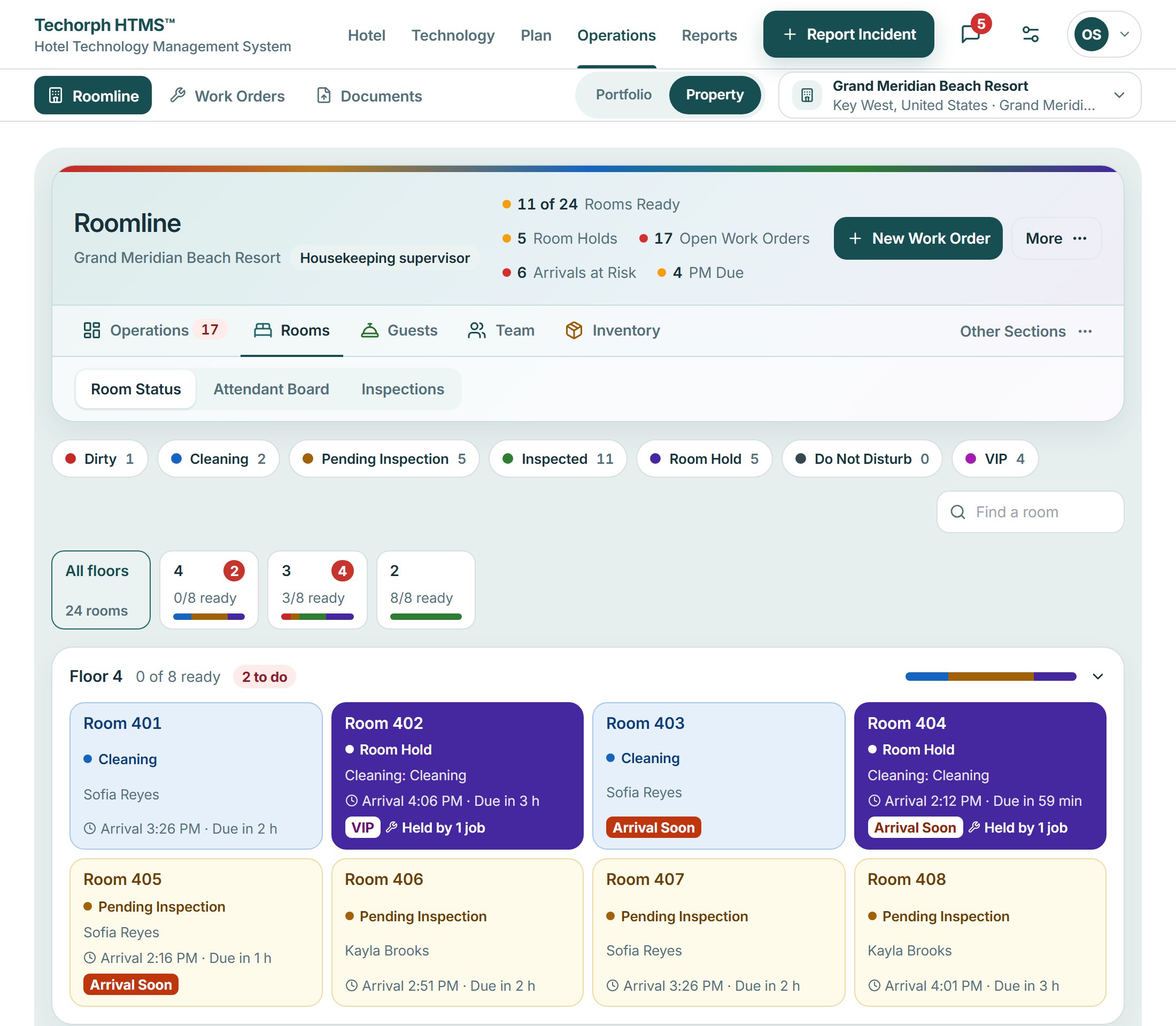
In HTMS™ One room board colors every room by state and shows the word beside it, so all three read the same picture.
A room looks clean but has a fault logged where the desk cannot see it.
In HTMS™ A hold from a work order shows on the same board, so the desk offers a ready room instead of sending the guest to a problem.
A guest waits in the lobby while someone checks a room by hand.
In HTMS™ The board shows what is ready, what is held and why, so nobody walks to a room to find out.
Each room is colored by state with the word beside it: dirty, cleaning, inspect or ready.
A repair or request that holds a room is kept separate from its cleaning state, so ready never hides a fault.
Open any room to see who has it, what is open at it and its history.
Staff take a room out of order or out of service from the same board the front desk reads.
Inside Roomline
Roomline is the room view and the day’s home. Inspections, work orders, guests and reports each have their own page, linked below.
The day on one page: rooms ready, rooms held, open work orders, arrivals at risk and scheduled maintenance due, then a Priorities list of what needs a person now and each person’s workload.
Roomline is part of HTMS™ Hotel Operations, in early access: built and working, and still being validated at live hotels.
Staff app on the phone
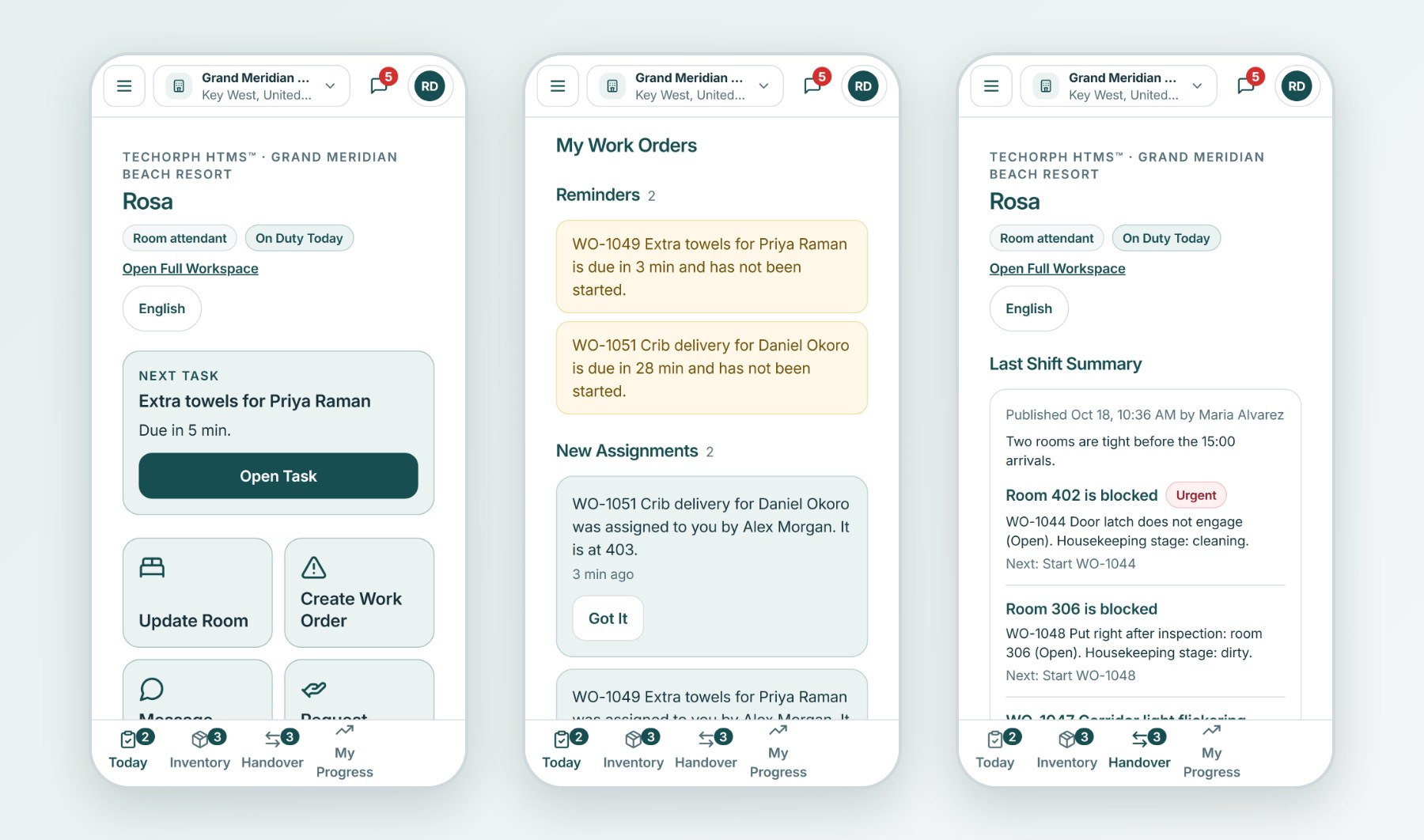
The Roomline mobile app gives room attendants, engineers and the front desk what is theirs to do next: the room to clean, the work order to start, the request to follow up. A tap reports a problem, asks for help or leaves a handover note.
The Roomline staff app runs in the phone’s browser today and installs to the home screen, in English, Spanish and French. A native iOS and Android app is being built and is not in the App Store or Google Play yet.
The rest of Roomline
Each part has its own page, so this one stays about the rooms.
Inspections to your own standard, the Day board and credits, housekeeping today, stock and the team’s progress.
See the pageEvery work order, scheduled maintenance, automatic rules and Keyline helpers, owned by engineering.
See the pageStandard requests taken once and followed up, and guest profiles with their preferences.
See the pageShift handover, reports for any period, measures with how each is counted, and housekeeping intelligence.
See the pageIn IT Governance: the library of written standards, audits, corrective plans and when rooms must be inspected.
See the pageRoom attendant, housekeeping supervisor, engineer, chief engineer, front desk, operations manager, administrator and leadership. Each sees their own tabs and can act only within their role. Leadership reads without changing anything.
A realistic scenario
In a 120-room hotel, the front desk opens the board and sees room 412 clean but held by a leaking shower valve. The desk offers a ready room instead, and engineering sees the same hold on the same board.