Connect
Get answers about your hotel you can check, and act on them
Ask which contracts need a decision, which faults keep coming back or which projects have no budget. Keyline answers from your hotel’s records, links to each one it used, says what is missing, and changes nothing until a person confirms.
The problem
An answer with no source is only an opinion
A manager asks whether a vendor is still under contract and hears three different replies. Nobody can say where each came from, and the ticket that should follow is never raised.
A typical moment“Three people told me three different things about the contract, and none of them could say where it came from.”
Three problems with answers today
An answer with no source is only an opinion.
In HTMS™ Keyline answers in plain words from the hotel’s own records, not from guesswork.
The ticket that should follow is never raised.
In HTMS™ In Connect, a helper offers one ticket, work order or task, and the person confirms it as themselves.
Nobody is sure whether the system acted on its own.
In HTMS™ Nothing changes until a person confirms, and each card says nothing has been done yet.
Three questions, and what comes back
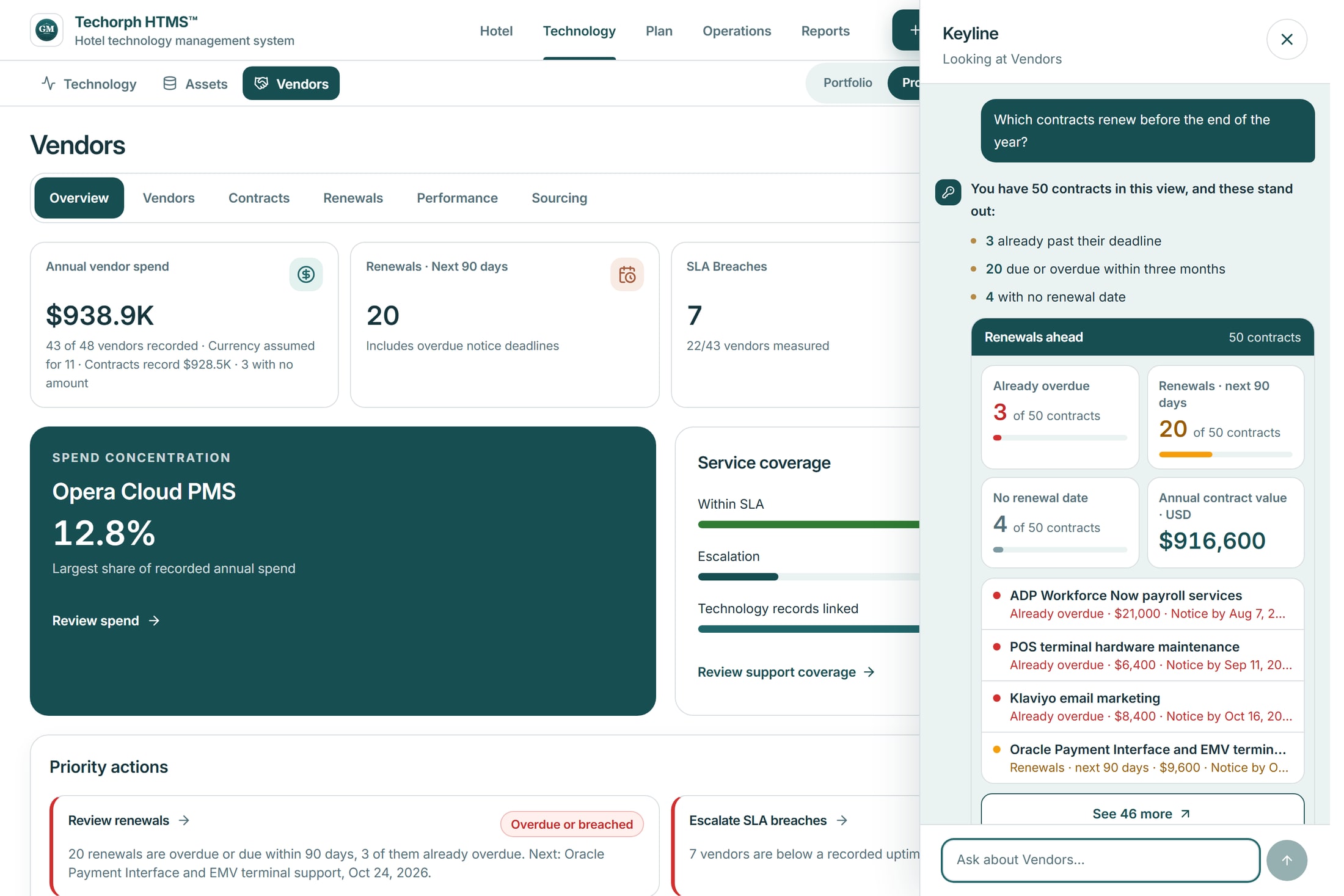
Which vendor contracts need attention?
Keyline lists contracts past their recorded renewal date, renewals in the next 90 days and contracts with no renewal date, with a link to each contract.
Which IT issues keep coming back?
Keyline answers from the tickets recorded in the Service Desk, shows possibly related tickets and matching knowledge articles, and links to the ones it used.
Which projects have no approved budget?
Keyline lists projects with no funding recorded against them, linked to the project and the budget line.
In Connect, a helper prepares the record
With Keyline Advanced AI, mention @ITAgent, @JobsAgent or @ProjectAgent on a message. The helper offers one ticket, work order or project task, and you confirm or decline it.
In the product
Ask Keyline what needs attention
Asked how the hotel’s technology is doing, Keyline answers with the health score, the maturity level, guest technology, open issues and integration gaps, from the hotel’s own records. The box below takes the next question.
HTMS™ product screen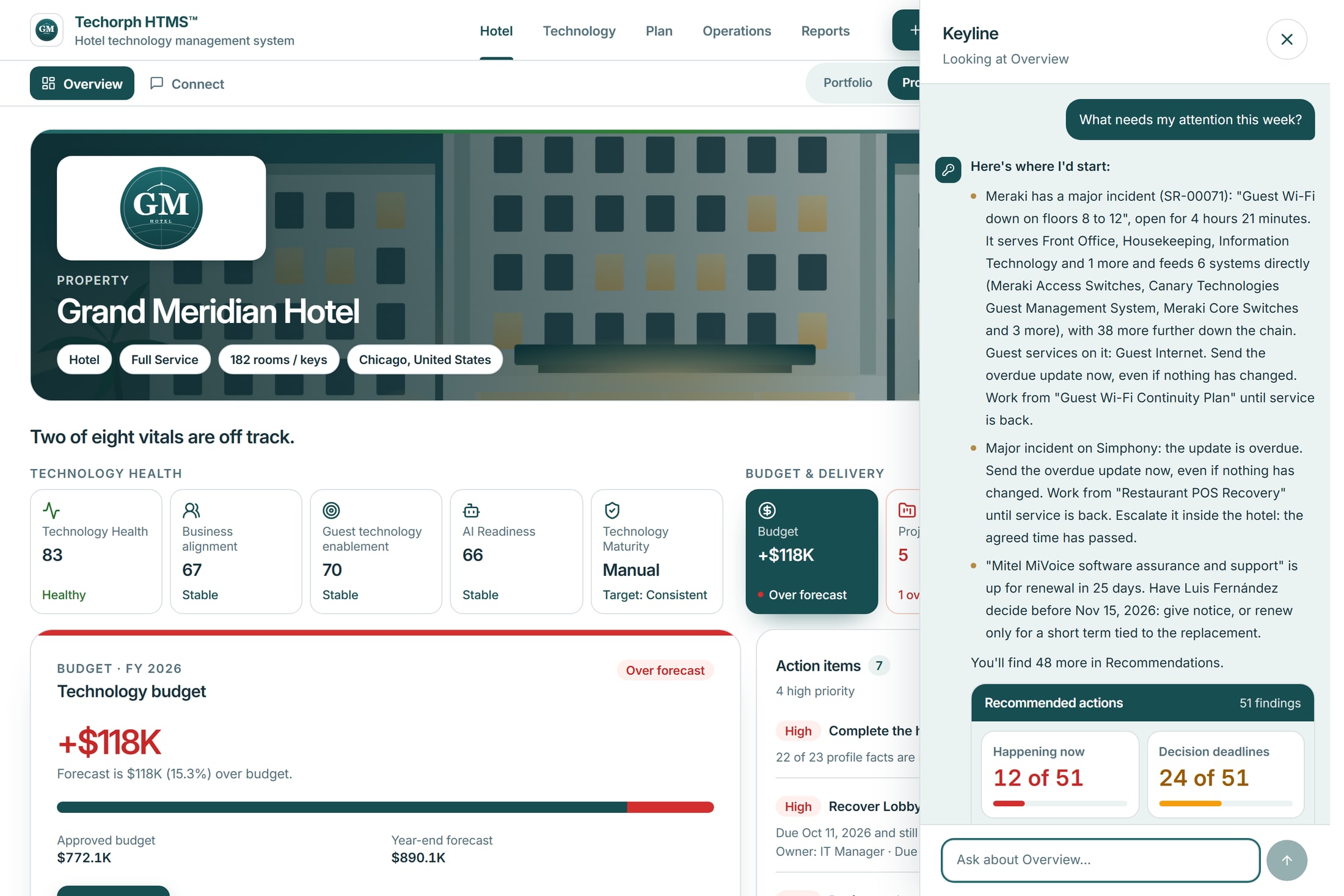
Keyline
- Connects your hotel technology data
- Finds what needs attention
- Explains why it matters
- Recommends next steps
Keyline recommendations
What Keyline does not do
Keyline answers from the records of the module you ask it in. Where a date, cost or owner was never recorded, it says so instead of estimating. It does not approve, close or change anything on its own; a helper in Connect prepares a record and a person confirms it.
Drawn from your hotel’s own records, with the evidence shown. A person decides.
Works with
Operations and Connect, working as one
- A message in Connect can become a work order after one confirmation.
- The work order’s status stays next to the conversation until it is done.
The lobby printer goes down again
A realistic scenario
In a 240-room hotel, the front office manager writes in a Connect thread that the lobby printer is down. She mentions @ITAgent, reads the Service Desk ticket card it offers, which says nothing is done yet, and confirms it as herself.