Technology Management
Know which systems connect, what they exchange and who maintains each connection
Record each system with its owner and vendor, and each interface with its direction, data and last validation date. A documented interface is shown separately from a configured, tested connection.
The problem
Nobody holds the full list of systems, or who owns the links between them
Front office knows its reservation system, finance knows its payroll tool, and a booking tool for the spa was set up by one manager. When a vendor calls or a system fails, nobody can say what else depends on it or who owns it.
When nobody knows what depends on a system
A vendor calls, or a system fails, and nobody can say what depends on it.
In HTMS™ The ecosystem map shows each system’s owner, vendor, lifecycle and renewal, and everything it connects to.
A rate change in one system never reaches another, and the person who set up the link has left.
In HTMS™ The interface register records each link’s owner, direction, data and method, and when it was last verified.
A new system is added and nobody knows what it should connect to.
In HTMS™ Design a one-way or two-way interface, copy the specification for the vendor and save the field maps before the work starts.
Department heads cannot see which systems they rely on, or which stage of the guest journey a fault will hurt.
In HTMS™ View systems by department and place them against the guest journey, so a fault lands on the stage guests feel.
How systems and their connections are recorded
Record the systems
Record each system with department, owner, lifecycle and vendor, and see them in a list and on an interactive map with their connections.
View by department
See which systems each department uses, with lifecycle, cost and renewals for each department where the hotel has recorded them.
Register interfaces
Record each interface between two systems with owner, direction, data carried, method and evidence status.
Map the data
Map fields between two connected systems and record how data moves between them, with owner and retention.
Check the connection
See each configured connection's status, run a connection test, and see each recorded interface's last validated date.
Register IT equipment
Keep IT devices in one equipment register with hostname, network zone, rack and warranty beside the systems they support.
In the product
See every connection
The PMS at the centre and systems grouped by domain, with each connection marked by its status.
HTMS™ product screen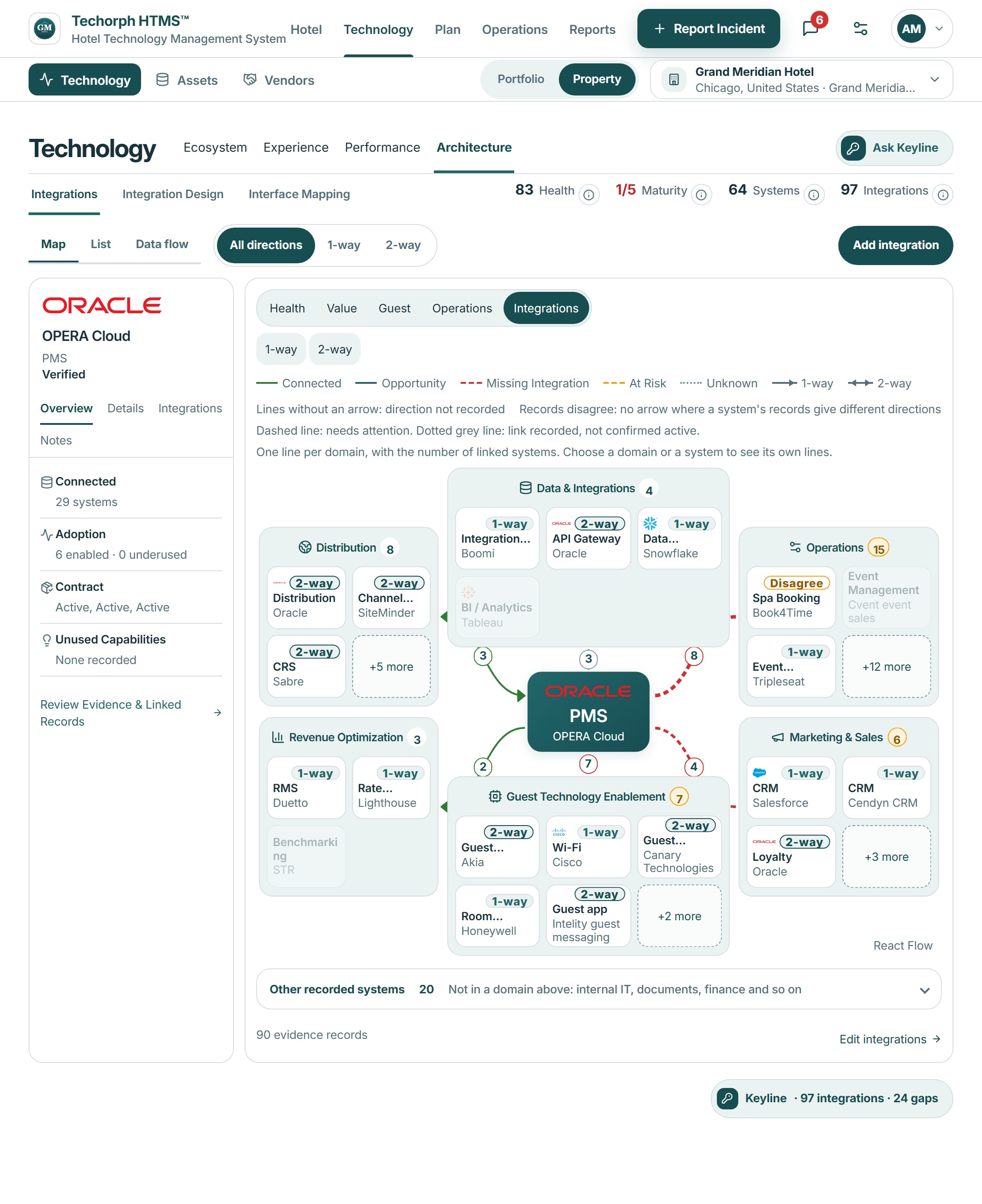
Works with
Changing a booking engine vendor
A realistic scenario
A 180-room hotel is changing its booking engine vendor. The general manager opens the ecosystem map to see which departments use the system, what it connects to and when its contract renews, and spots that two departments recorded separate systems for similar jobs.