Technology Management
Stop paying for contracts nobody decided to renew
Renewal dates hide in shared folders and inboxes, so contracts roll over on old terms and nobody owns the cost. HTMS™ puts every vendor, contract, notice date and owner on one record and raises each renewal early, so you decide it on purpose.
The problem
A contract renews because nobody saw the date
The property management contract sits in a shared folder. The notice date passes in a busy week and the term renews on the old terms. Nobody was named as owner, and finance finds out when the invoice arrives.
From directory to decision
Record the vendor
Keep a vendor directory with contacts and support paths, and track service performance against the contracted uptime.
Track the contract
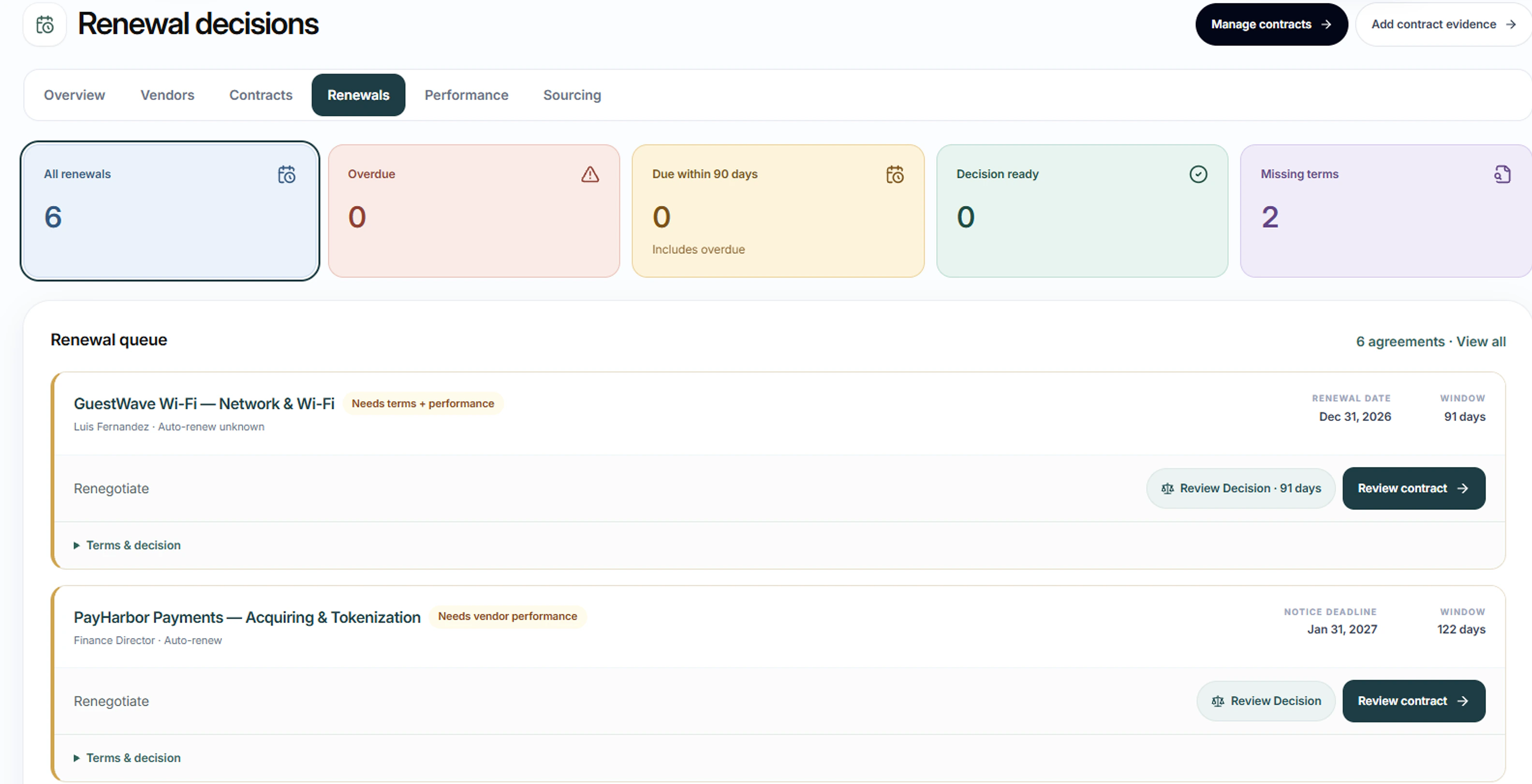
Record renewal and notice dates, obligations and annual cost. The renewal queue shows what is coming up.
Start the renewal
Start a renewal decision with the vendor's service record and the hotel's own peer vendors beside it.
Run a sourcing event
Record an RFP or RFQ with proposals and evaluation criteria against a business case, compare them and record the selection.
Planned
Group purchasing prices
Compare your contracts with group purchasing prices once your provider’s prices are loaded.
Planned. It is not available yet, and no price comparison is shown until a provider’s prices are loaded and checked.
In the product
What each contract commits to, and who owes it
Service levels, reports, notice dates and exit terms, each with an owner, a due date and a status. An obligation marked met with no document on record is counted and shown.
HTMS™ product screen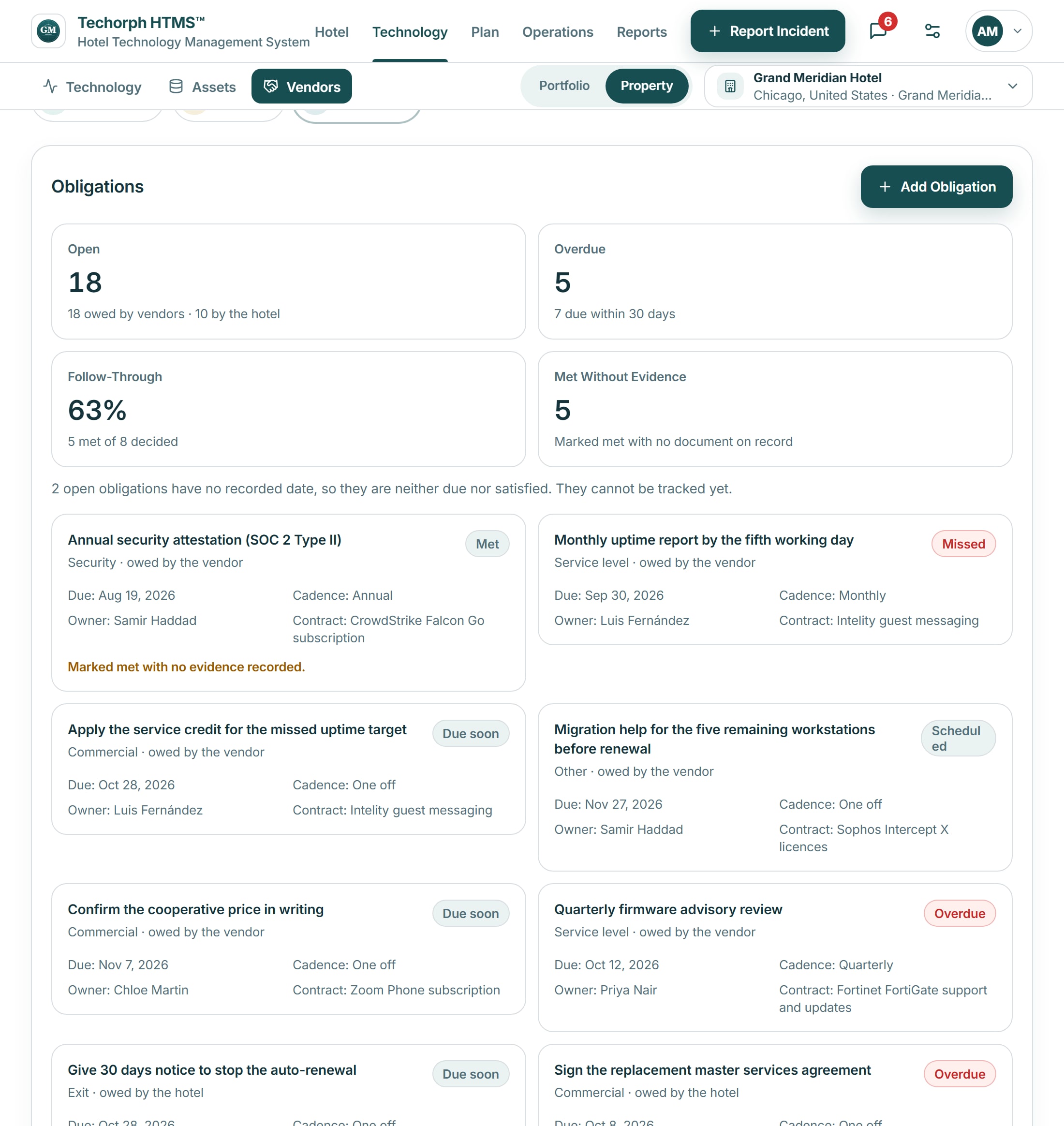
Keyline recommendations
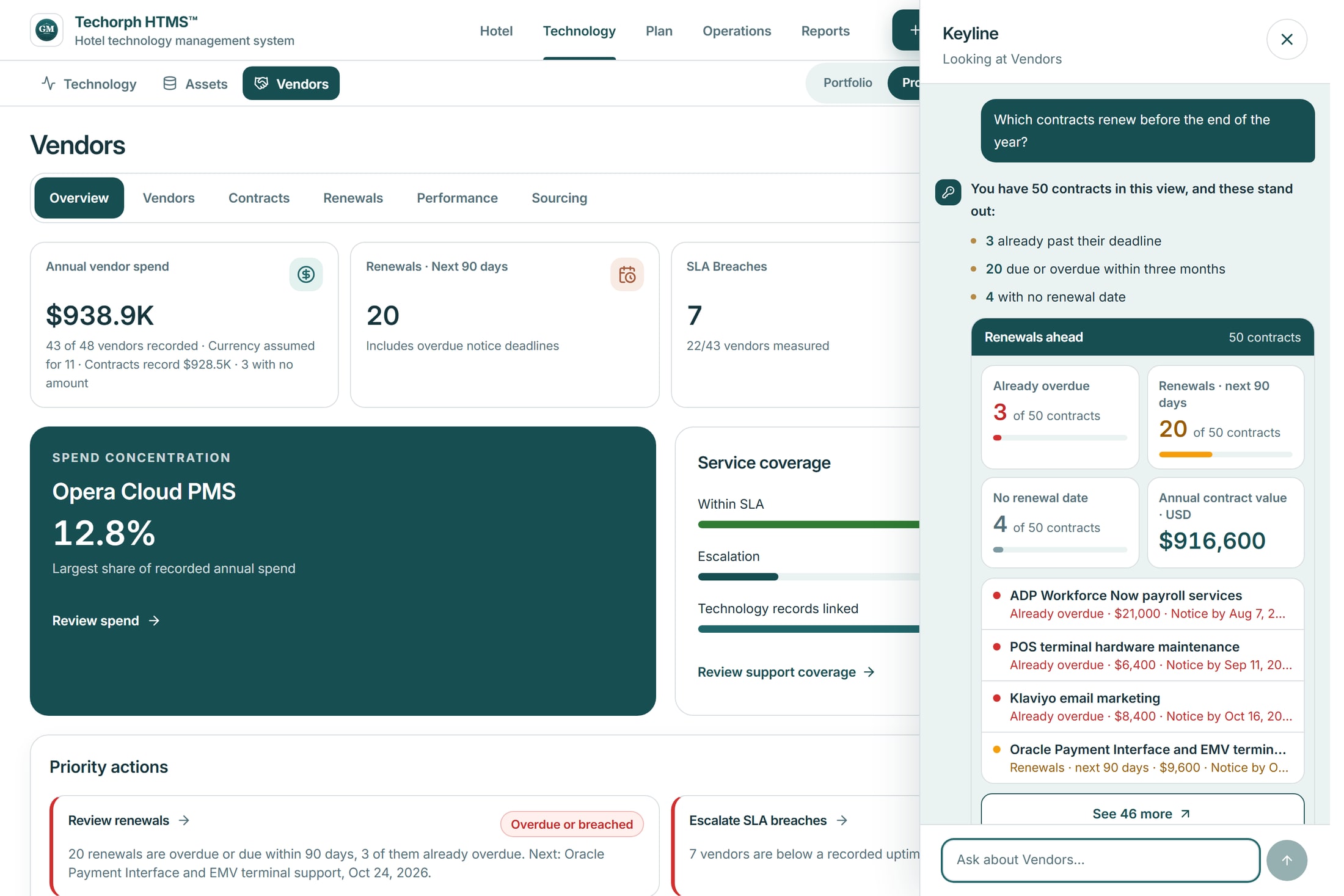
Keyline tells you which contracts need a decision
Keyline reads the hotel’s own vendor records and answers which contracts renew, with the contracts already past their recorded renewal date, the renewals in the next 90 days and those with no renewal date. It recommends an action, and a person decides what to do.

Works with
The channel manager contract comes up for renewal
A realistic scenario
A 180-room hotel's channel manager contract has a notice date next month. The IT manager opens the renewal queue, sees the annual cost and obligations beside the vendor's service against contracted uptime, and starts a renewal decision for the general manager to take.