Connect
Ask Keyline in the thread, and review the card before anything happens
With the Keyline Advanced AI add-on, ask Keyline in a channel thread. It answers from the hotel’s records about what a fault touches, and can offer a ticket, work order or task on a card for a person to confirm.
The problem
An answer with no records is an opinion, and a chat message with no owner is a wish
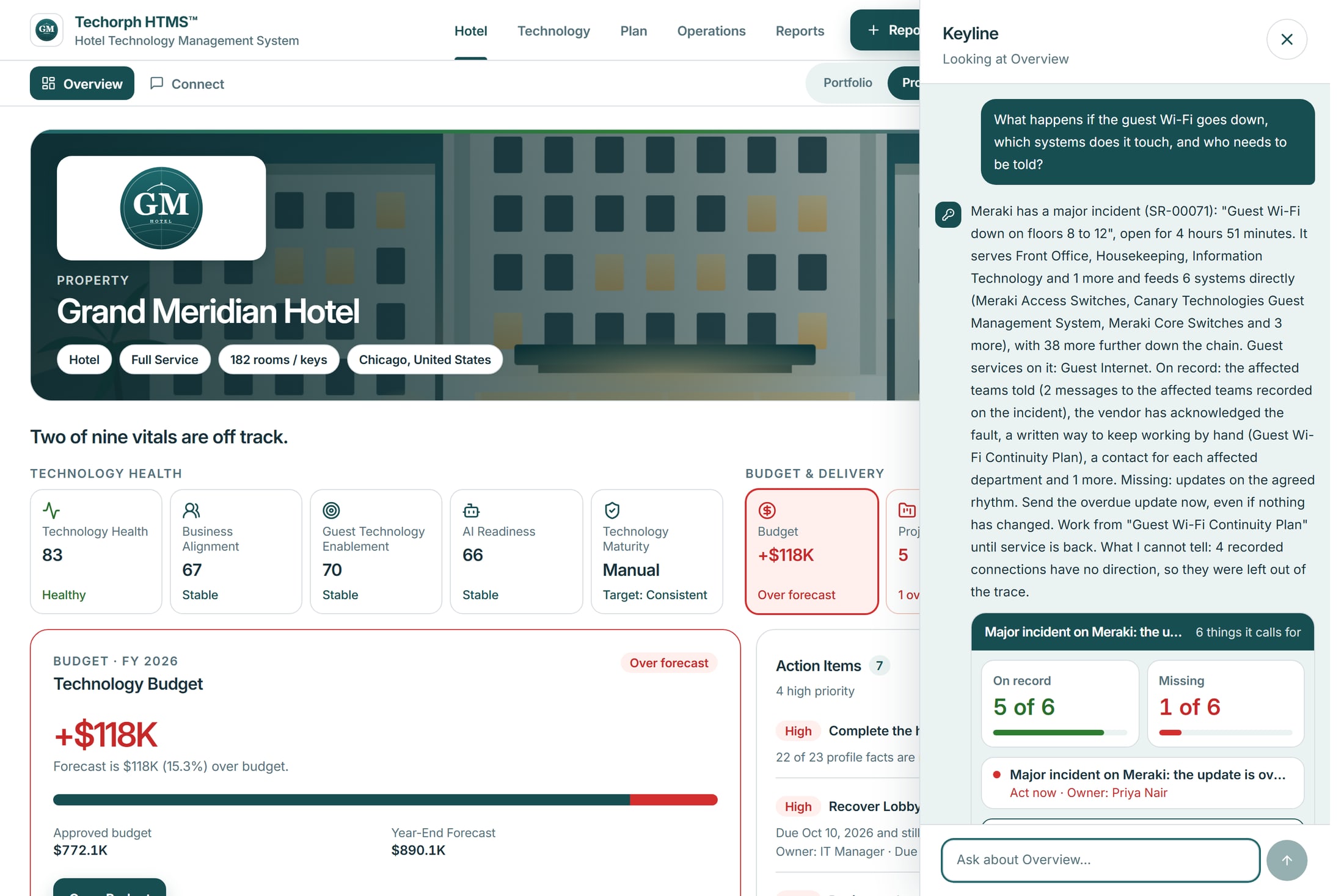
The guest Wi-Fi goes down on floors 8 to 12. People ask what it touches and who needs to be told, one chat reports it and another chases it, and nobody can say what has actually been raised.
A typical moment“Everyone is asking what the outage touches and who to tell, and I am still reading three chats to find out what has been raised.”
When a fault is discussed in chat
Nobody can say what a failure touches or who to tell.
In HTMS™ Ask Keyline’s panel: it names the major incident, the departments it serves, the systems it touches and what is on record.
The message that should become work stays a message.
In HTMS™ In a channel, @Keyline offers one service request, work order or task on a card that says nothing has been done yet.
Nobody can tell whether a person approved it.
In HTMS™ Nothing is created until a person confirms. The card then shows who confirmed it, and the thread links to the record.
How a question becomes a confirmed record
Ask in plain words
Ask in a channel with @Keyline, or put a wider question to Keyline’s panel.
Read the answer and its records
The panel names the incident, the departments and systems it touches and what is on record or missing.
Review the card
In a channel, Keyline offers one service request, work order or task. The card says nothing has been done yet.
Confirm or decline
A person confirms with their own rights. The card then shows who confirmed it and opens the record.
In the product
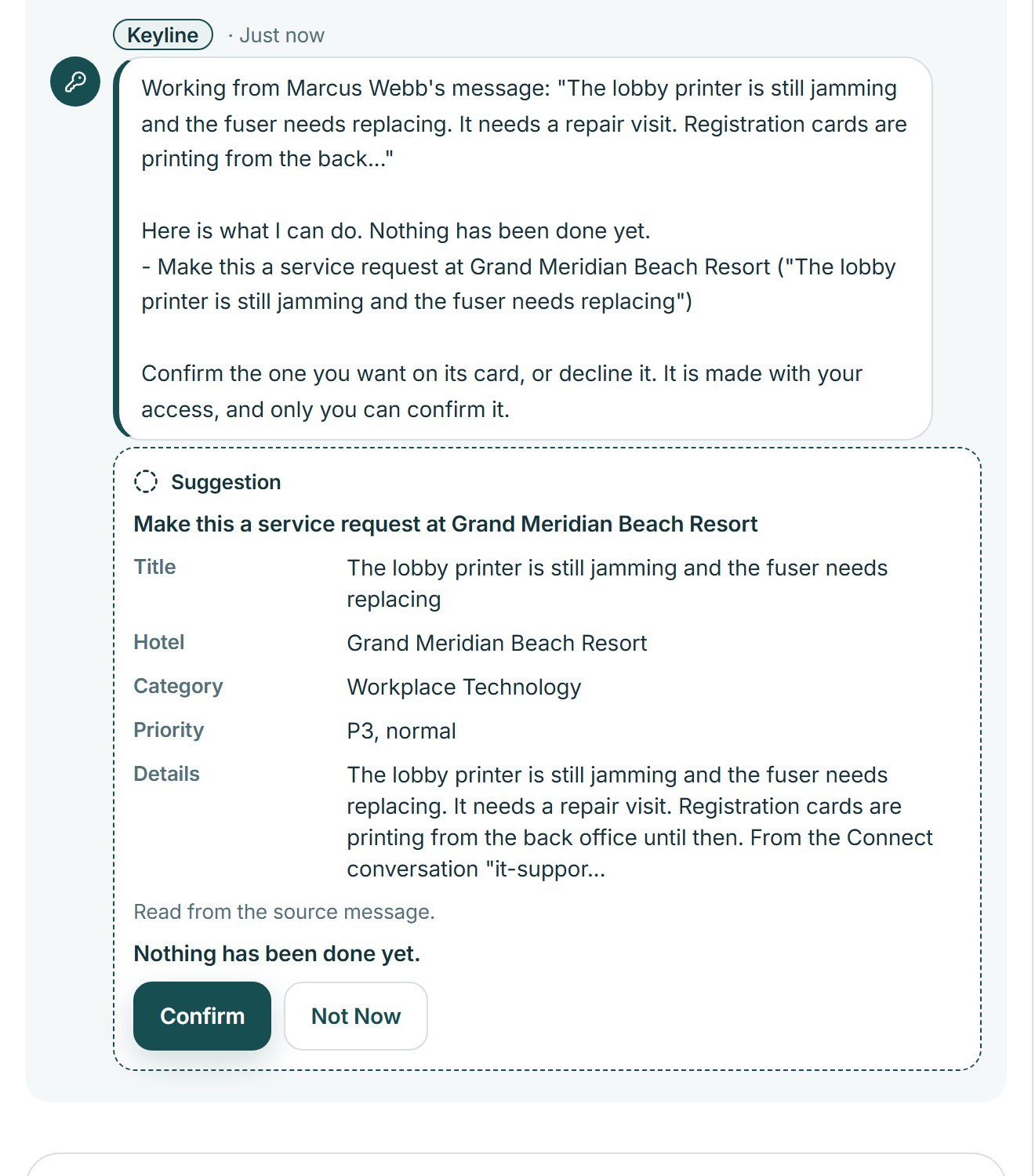
Keyline offers, and says nothing has been done yet
Under a colleague’s message about the printer, Keyline shows a suggestion card with the title, category and priority it would use, the line “Nothing has been done yet.”, and Confirm and Not now buttons.
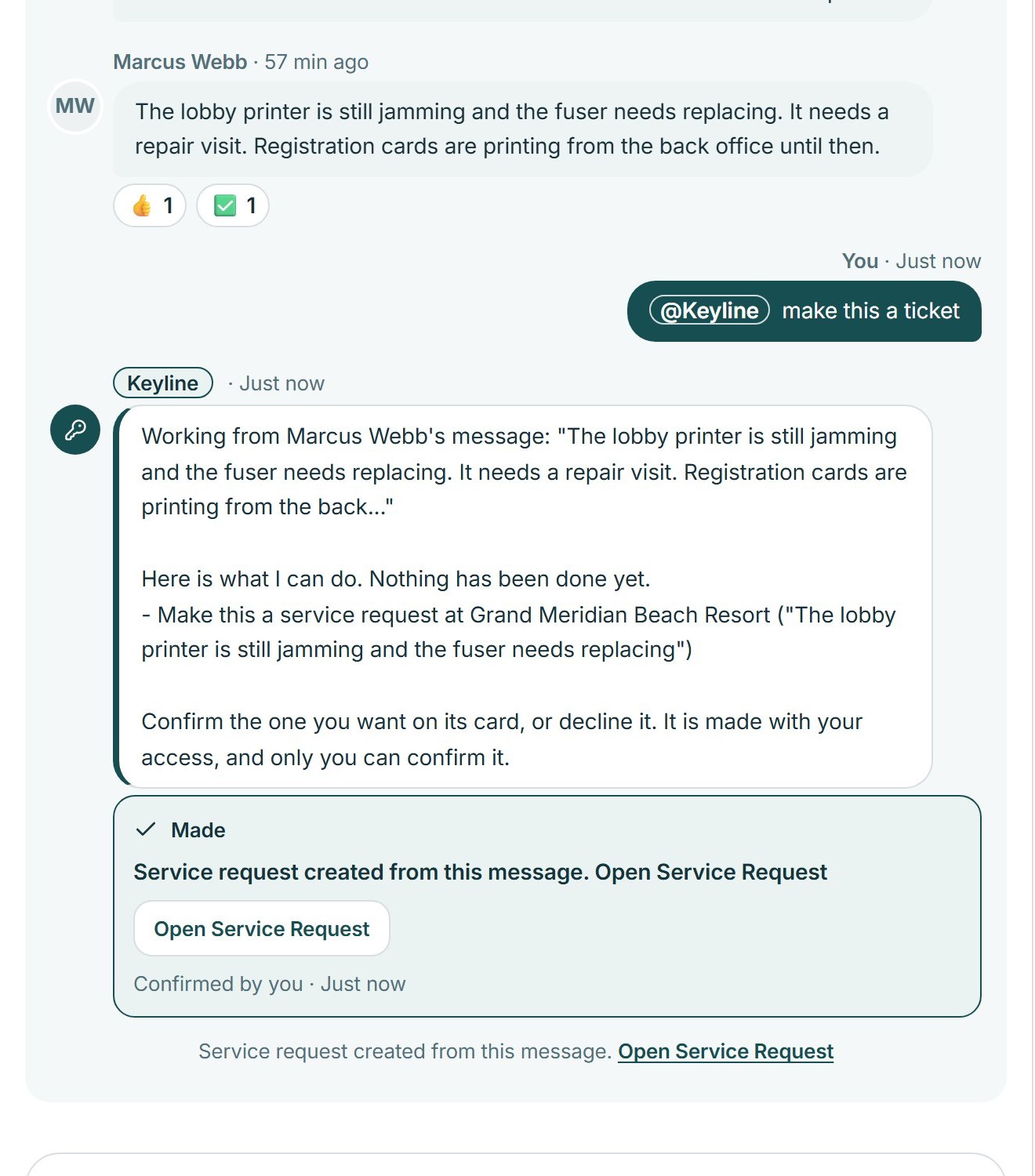
A person confirms, and the record opens
After Confirm the card reads that a service request was created from this message, shows who confirmed it and links to the record, and the conversation gets a line pointing to it.
Works with
A jamming printer becomes a service request
A realistic scenario
At a hotel, the front desk reports a jamming lobby printer in #it-support. A colleague adds the error log, and the IT manager types “@Keyline make this a ticket”. Keyline shows a card that says nothing has been done yet, and the IT manager confirms it. The service request opens from the thread.