How HTMS™ works
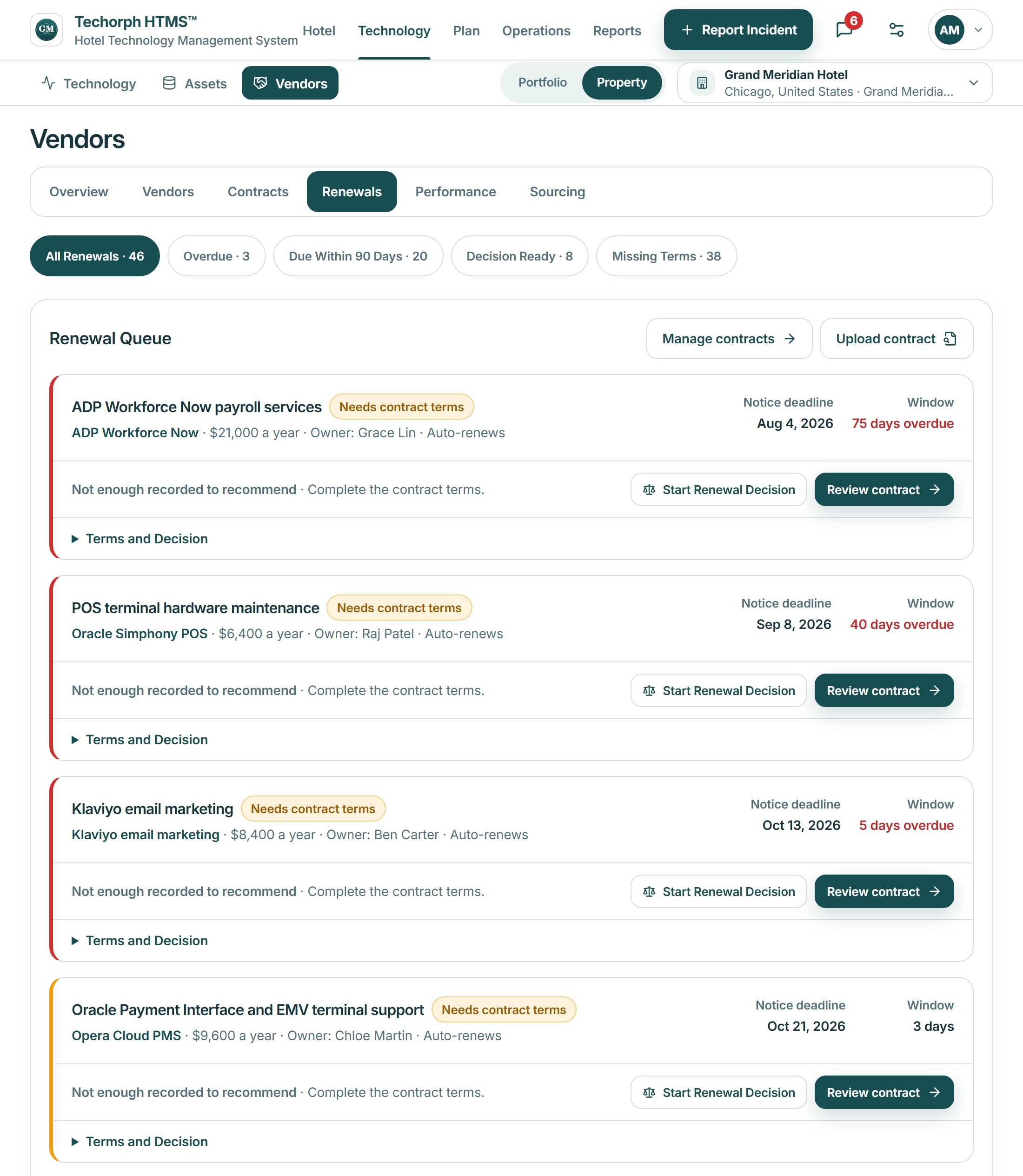
One contract renewal, from the record to the result
Four steps
The contract is recorded
The channel manager contract is entered with its annual cost, renewal date, cancellation notice deadline and owner. If it is uploaded as a file, someone checks the extracted terms before they are saved.It appears in the renewal queue for the quarter.
The renewal is reviewed
The IT manager opens the renewal with the cost, the vendor’s recorded service performance, open tickets against the system and the departments that use it.A review based on the hotel’s records, with missing information named.
A decision is recorded and assigned
The general manager decides to renew, renegotiate or replace. The decision is recorded with its reason, an owner and a due date. A replacement becomes a project with a budget line.One decision, with one person responsible for it.
The work and the result are tracked
The renegotiation or replacement is followed as tasks or a project. The new terms are recorded on the contract.The next renewal starts from what was decided this time.
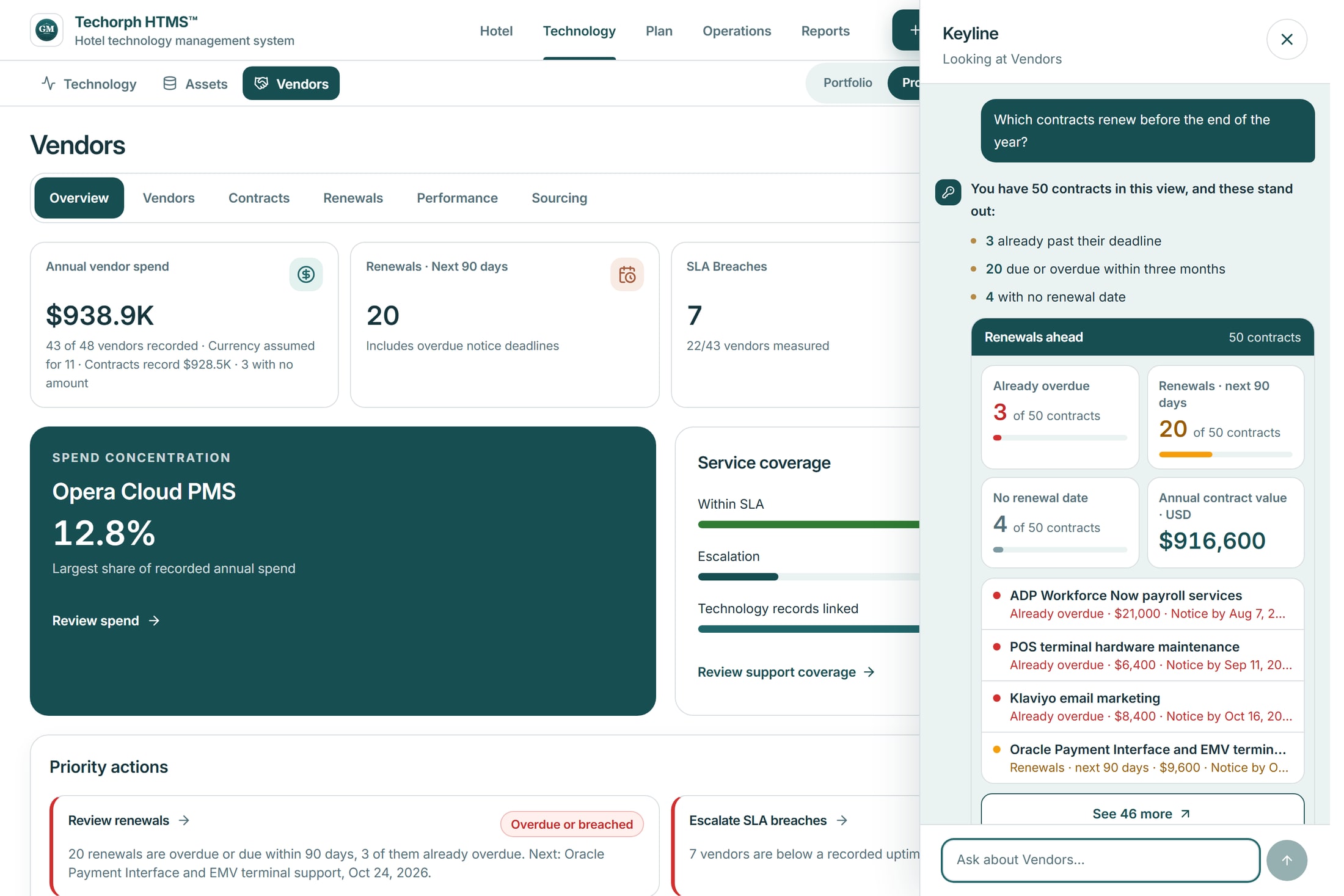
Where Keyline helps in this example
Ask “Which contracts need a decision this quarter?” Keyline answers from the vendor records: contracts past their renewal date, renewals in the next 90 days and contracts with no renewal date recorded.
- It links to each contract it lists.
- Where a renewal date or cost was never recorded, it says so instead of estimating.
- It lists each contract with its cost and notice date. The renewal decision stays with the general manager.
What you need to start
Contract files, invoices, a system or asset list, the technology budget and current project plans. Uploaded documents are checked by a person before they become records.
Bring a renewal you are facing
We will walk through it in HTMS™, from the contract record to the decision.